
Divi and Elementor both allow you to build WordPress pages without code, but their pricing works in opposite ways. Divi lists all paid plans for unlimited websites and has no free version on the pages reviewed. Elementor offers a free plugin, and prices its paid plans by site count, starting with 1 site. This guide compares yearly costs, licensing, theme building, refunds, Divi 5, and what happens if you change your mind.
For complete plan tables, see the Divi pricing guide and the Elementor pricing guide. This page compares the two and works out the costs for you.
The short answer: one site on a budget or many sites
For one site, Elementor costs less: its Essential plan is $60 a year, compared with $89 a year for Divi Yearly. Starting at three sites, Divi is less expensive because Divi Yearly covers unlimited websites for $89, while Elementor’s 3-site plan costs $108 and its 25-site plan costs $204. If you prefer a one-time payment, Divi Lifetime is listed at $249 for unlimited websites.
If you want to test a builder before spending anything, Elementor’s free plugin is the simpler place to start, since the Divi pages reviewed show only paid plans. Elegant Themes says Divi 5 was rebuilt to focus on performance, but this is the vendor’s claim. Neither vendor provides a direct speed comparison, so choose the editor you prefer and test it on your own host.
Price and licensing side by side
Divi prices come from the Divi join page as seen from the United States on 10 November 2026. Elementor prices were captured from the Elementor pricing page as seen from the United States on 4 November 2026, so the two dates differ by six days. Check Divi's join page and Elementor's pricing page before you buy.
| Divi | Elementor | |
|---|---|---|
| Entry paid plan | Divi Yearly: $89 a year ($7.42 a month), unlimited websites | Essential: $60 a year ($5 a month billed annually), 1 site |
| Mid plans | Divi Pro: $277 a year, unlimited websites, plus Pro services | Advanced Solo: $84 a year, 1 site. Advanced: $108 a year, 3 sites |
| Largest priced plan | Divi Pro, still unlimited websites | Expert: $204 a year, 25 sites. One Agency is described as unlimited sites |
| Billing | Yearly, or Divi Lifetime at $249 once with no recurring subscription | Per year, renewing at list price |
| Free version | None listed on the pages used | Free Editor plugin on WordPress.org |
| Refund | 30 days from purchase, on Divi, Divi Pro, Divi Lifetime and Divi Lifetime + Pro | 30 days, annual plans only |
Divi also offers Divi Lifetime + Pro for $297 today, plus $212 a year for Pro services. The Divi page states that lifetime Divi access continues if you cancel those services. Divi Yearly and Divi Pro both come with the builder, theme builder, website packs, and content elements.
Elementor’s pricing page also includes Elementor One and One Agency. The WordPress.org listing uses the names Essential, Advanced, Expert, Studio, and Agency, so the plan names vary by page. Rely on the pricing page when you make a purchase. The Elementor pricing guide explains every Elementor plan in detail.
What it costs for 1, 3 and 25 sites
Below are the yearly costs based on the prices listed above. For Elementor, the least expensive plan that covers the site count is used. Divi Yearly covers any number of sites at one price.
| Sites | Divi Yearly per year | Elementor plan | Elementor per year | Cheaper per year |
|---|---|---|---|---|
| 1 | $89 | Essential | $60 | Elementor, by $29 |
| 1 | $89 | Advanced Solo | $84 | Elementor, by $5 |
| 3 | $89 | Advanced | $108 | Divi, by $19 |
| 25 | $89 | Expert | $204 | Divi, by $115 |
Elementor says its Essential plan comes with Theme Builder, but not Popup Builder, custom code and CSS, or eCommerce features, which are included starting with Advanced Solo. That is why the table includes both 1-site plans.
When Divi Lifetime pays for itself
Divi Lifetime costs $249 once. The totals below show the running cost after each year, assuming Divi Yearly renews at its listed price and Elementor renews at list price, as Elementor says it does.
| After | Divi Lifetime | Divi Yearly | Elementor Essential | Elementor Advanced | Elementor Expert |
|---|---|---|---|---|---|
| 1 year | $249 | $89 | $60 | $108 | $204 |
| 2 years | $249 | $178 | $120 | $216 | $408 |
| 3 years | $249 | $267 | $180 | $324 | $612 |
| 5 years | $249 | $445 | $300 | $540 | $1,020 |
Divi Lifetime therefore costs less than renewing Divi Yearly or Elementor Advanced starting in the third year, less than renewing Elementor Expert starting in the second year, and less than renewing Elementor Essential starting only in the fifth year. For a single site, if you might stop after a year or two, Elementor Essential remains the least expensive. These totals exclude hosting, domains, taxes, and any price changes after the dates above.
What you get free
WordPress.org offers Elementor's free Editor plugin. It comes with a drag-and-drop live editor, basic widgets and templates, and the page says it includes over 40 free widgets. Elementor says it works for a basic website, testing ideas or starting a small business site.
The Divi pages reviewed list paid plans only: Divi Yearly, Divi Pro, Divi Lifetime and Divi Lifetime + Pro. None mentions a free version. Instead, you get a 30 day refund period after purchase, which the Divi join page lists for all four plans. Elementor also offers a 30 day money-back guarantee, but only for annual plans. For more information about Divi's costs, read the Divi pricing guide.
The free Elementor plugin does not include some tools. Elementor's own listing identifies the Theme Builder as a Pro feature, while the Pro plan adds premium widgets and advanced design tools. The Elementor free vs Pro guide outlines what changes with an upgrade.
Theme and builder: what each one includes
Divi's plan is said to include the Divi theme and builder. Elementor's free product is an Editor plugin installed on WordPress. Elementor's Theme Builder is a paid feature, but it is available from the lowest paid tier: Essential includes it for $60 a year, along with Advanced Solo, Advanced and Expert. So at Elementor's entry price, the difference in theme builders between the two is gone.
The Divi Theme Builder comes with both Divi and Divi Pro memberships. It creates custom templates for headers, footers, posts, pages and products. Each template includes a header, body and footer area, and you can assign templates to particular parts of a site, such as posts in one category or different archive pages.
Divi also allows you to edit a template while working on a page or post in the same visual editor. You can import or export templates between Divi sites and save them to Divi Cloud. That reuse is useful when you need the same header and footer across many client sites. The Divi page lists 20+ Woo modules for product, cart and checkout templates.
Editing and design features, including Divi 5
Divi 5 is described as built from the ground up with a new tech stack and a new API for custom modules. Its listed features include seven customizable breakpoints, global variables, design presets, a Command Center, a Loop Builder, and CSS Flexbox and Grid layouts. Divi also lists a Divi AI Agent that creates layouts, generates images and writes code from plain language inside the Visual Builder.
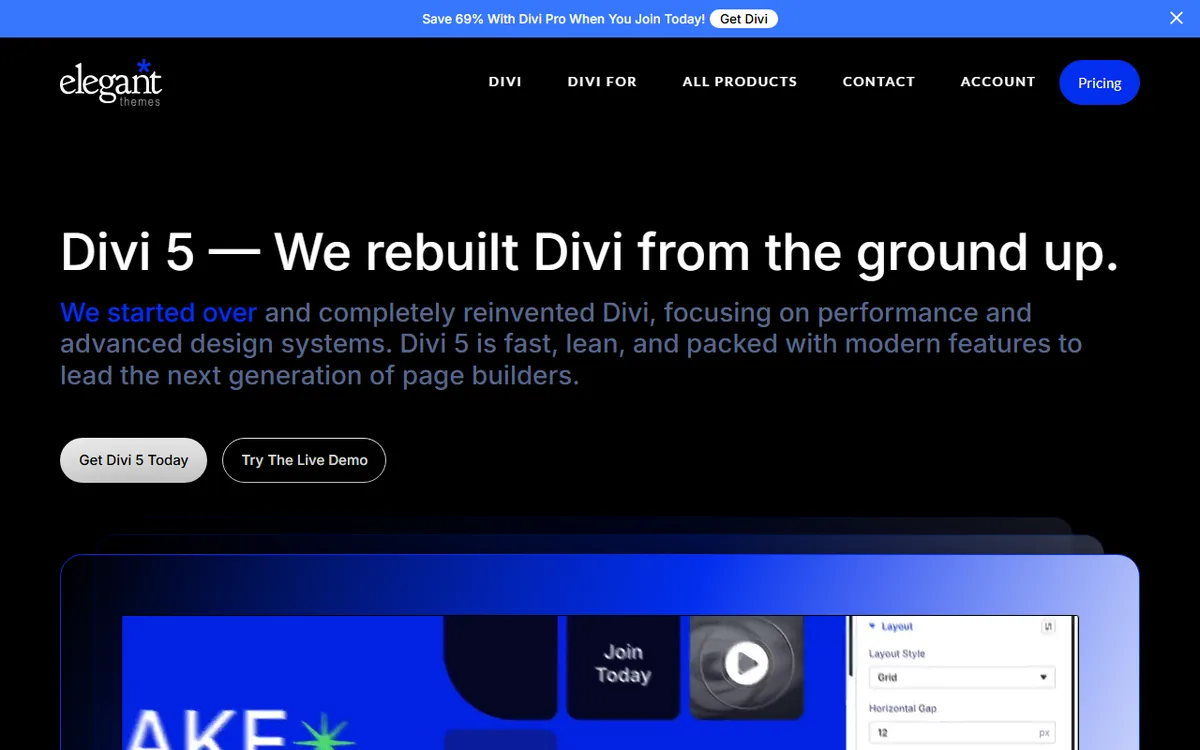
Divi 5 stores content in a block based format rather than shortcodes. The page says this enables new possibilities for Gutenberg cross-compatibility. Divi 5 comes free with all Divi memberships, offers one-click upgrades and is backward compatible with Divi 4 sites, which can continue running legacy modules. The Divi 5 guide describes the upgrade.
For Elementor, the free plugin includes a live editor and more than 40 free widgets. Paid plans bring Pro widgets, Theme Builder and advanced design tools, while Elementor's hosting page lists 85 Pro widgets, custom code and CSS, a form builder, a popup builder, eCommerce features and dynamic content. Elementor also says its editor works alongside Gutenberg, letting you choose which editor to use while editing.
Hosting and requirements
Elementor's free plugin specifies minimum requirements of WordPress 6.8 or greater, PHP 7.4 or greater, MySQL 5.6 or MariaDB 10.5 or greater, and PHP and WordPress memory limits of 256 MB or greater. It recommends WordPress 7.0, PHP 8.3, MySQL 8.0 or MariaDB 10.6 and 512 MB of memory. The Divi pages reviewed do not provide comparable requirements, so check with Elegant Themes before selecting a host.
Elementor also offers managed WordPress hosting called Elementor Host, powered by Google Cloud and featuring Cloudflare Enterprise CDN, SSL, automatic backups and 24/7 support. Elementor One does not come with hosting, and Elementor says it works with any compatible WordPress host. Elementor Host plans do not come with an Elementor Editor license, so you need to buy one separately or connect a license you already have.
Switching between them
Neither vendor describes an automatic way to transfer layouts between Divi and Elementor, and neither page reviewed explains what happens to your layouts when you deactivate a builder. Plan to recreate the design of each page you move, and do not assume anything is lost or kept before you try it.
Before switching, test on a copy of your site, save a full backup, and rebuild one page first to see how much work is involved. Divi 5's block based format and Elementor's Gutenberg compatibility do not guarantee that content can move between them.
Which to choose for your situation
- One site, tight budget: begin with the free Elementor plugin. If you need Theme Builder, Essential costs $60 a year, $29 less than Divi Yearly. Divi has no free option on the pages reviewed.
- One site that needs popups, custom code or eCommerce on Elementor: these features are available starting with Advanced Solo at $84 a year, still $5 less than Divi Yearly.
- Three or more sites: Divi Yearly at $89 for unlimited websites costs $19 a year less than Elementor's 3-site Advanced plan and $115 less than the 25-site Expert plan.
- You want to pay once: Divi Lifetime is listed for a one-time payment of $249, with no recurring subscription. It costs less than renewing Divi Yearly after 3 years and less than Elementor Essential after 5.
- You want the option to get your money back: Divi offers 30 days for every listed plan, while Elementor offers 30 days for annual plans only.
- You like managed hosting from the same company: Elementor offers Elementor Host, but the editor license is sold separately.
- You already have a Divi 4 site: Divi 5 comes with memberships and is described as backward compatible, so you do not need to change builders to get the new version.
If you are still deciding how to set up WordPress itself, begin with how to build a WordPress site, then return to choose the builder.
Sources
- Elementor Pricing
- Elegant Themes Join / Divi pricing
- Elementor plugin at WordPress.org
- Divi theme page
- Official Divi 5 page
- Divi Theme Builder
- Elementor Hosting
- Elementor Help Center
Frequently asked questions
Is Divi or Elementor cheaper?
For one site, Elementor Essential at $60 a year costs less than Divi Yearly at $89. For three or more sites, Divi Yearly at $89 for unlimited websites costs less than Elementor's $108 and $204 plans. Prices were observed on 10 and 4 November 2026.
Is Elementor free?
Elementor offers a free Editor plugin with a drag-and-drop editor, basic widgets and templates. Theme Builder is a Pro feature included starting with the Essential plan at $60 a year.
Does Divi include a theme builder?
Yes. The Divi page states that both Divi and Divi Pro memberships come with the builder, theme builder, website packs and content elements for unlimited websites.
Do Divi and Elementor offer refunds?
Yes, both offer a 30 day money back guarantee. Divi includes it with Divi, Divi Pro, Divi Lifetime and Divi Lifetime + Pro, while Elementor offers it only on annual plans.
Can I move my pages between Divi and Elementor?
Neither vendor documents an automatic way to transfer layouts, so plan to rebuild each page. First, test on a copy of your site.