
Elegant Themes sells Divi, and the cost depends on how long you plan to use it and whether you want the additional Pro services. Divi Yearly costs $89, billed once a year, Divi Lifetime costs $249 as a one time payment, and Divi Pro costs $277, billed yearly.
Divi’s pricing pages do not offer a free version. The risk free option described is a 30 day money back guarantee. This guide covers every plan, explains the theme versus plugin question, and helps you choose a plan based on how many years you expect to keep the site. Divi 5 has no separate price because it is included with the same membership.
What Divi costs: every plan side by side
Prices below come from the Elegant Themes pricing page as seen from the United States on 10 November 2026. Check the current pricing page before you buy, because the page can change.
| Plan | Price | Billing | Sites | What you get |
|---|---|---|---|---|
| Divi Yearly | $89 ($7.42 a month) | Billed yearly | Unlimited, client sites included | Divi, Extra, Bloom, Monarch, Divi Dash, updates and support |
| Divi Lifetime | $249 | One payment | Unlimited, client sites included | Divi, Extra, Bloom, Monarch, Divi Builder and Divi Dash, updates and support for life, no Pro services |
| Divi Pro | $277 ($23.08 a month) | Billed yearly | Unlimited, client sites included | Everything in Divi Yearly plus Divi AI, Divi Cloud, Divi VIP and Divi Teams (4 seats), with Divi Dash |
| Divi Lifetime + Pro | $297, then $212 a year | One payment plus yearly Pro services | Unlimited, client sites included | Lifetime Divi and Divi Dash, with Pro services you can cancel |
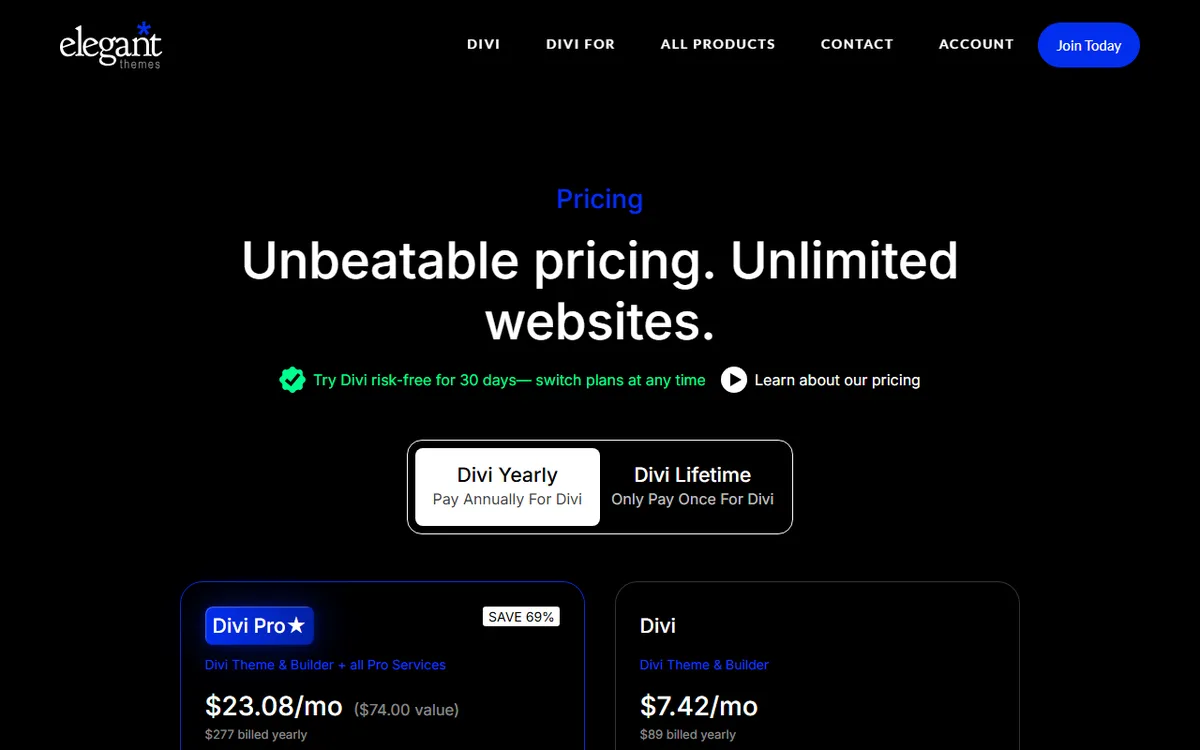
The control at the top of the pricing page lets you switch between annual payments and a one time payment. Divi Pro is advertised as saving 69 percent, or $611, compared with buying the Pro services individually. Divi 5 has no separate price because it is included with the same active membership.
Divi and Divi Pro can both be used on unlimited websites, including sites you create for clients. According to the page, there are no per site fees, additional licenses or hidden costs, so a freelancer pays the same for one site as for fifty.
What Divi Pro adds
Divi Pro combines four subscription services. Divi AI creates layouts, text, images and code without a set limit, but AI Agent use is not included in that promise. Divi Cloud provides unlimited storage for your layouts and assets. Divi VIP promises replies in under 30 minutes, and Divi Teams allows up to four team members to work together.
Divi Pro members also receive 10% off purchases from Divi Marketplace. If you do not need one of the four services, the page says you can cancel it to reduce the Divi Pro price.
Is any part of Divi free?
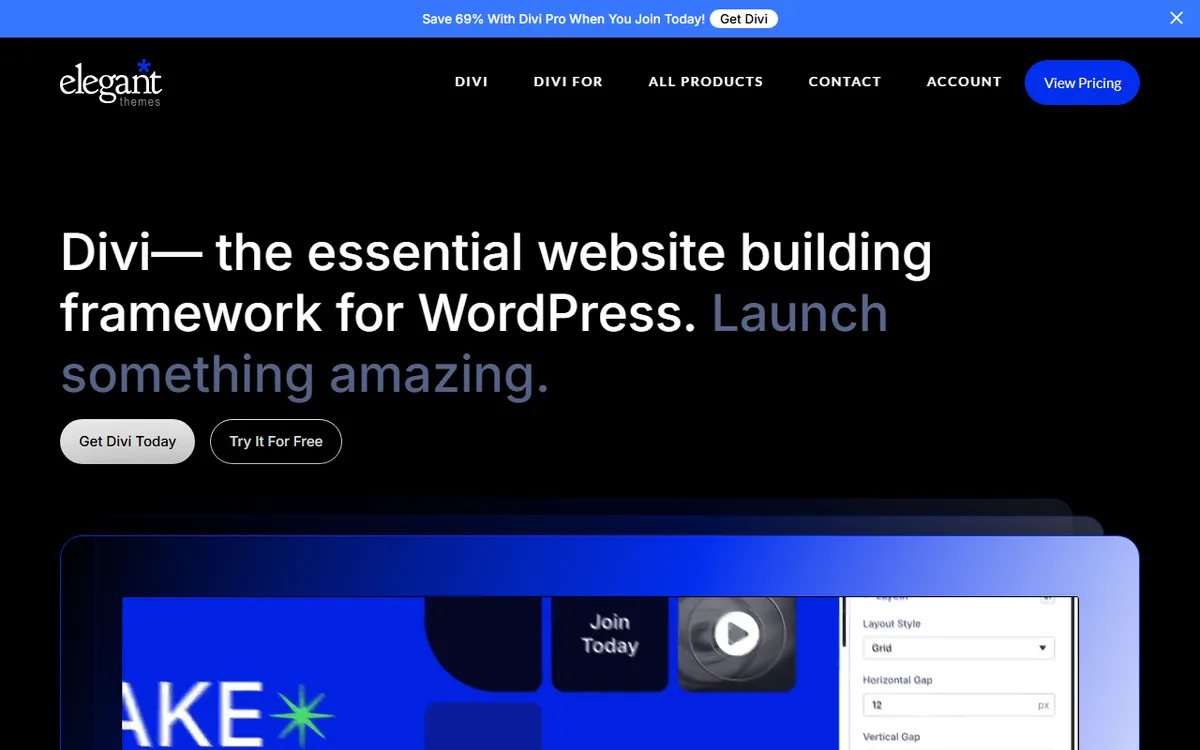
No. Divi’s pricing pages do not describe a free version or free trial of Divi itself. Instead, they offer a 30 day money back guarantee so you can try Divi risk free. The product page in the screenshot below has a Try It For Free button, but this guide does not explain what it offers, so check it on the day you read this.
To request a refund, email Elegant Themes within 30 days of purchase. The terms include two restrictions. Payments for AI usage are excluded, and a refund for an AI Wallet deposit covers only the amount you have not spent.
Some things are free after you buy Divi. Divi Dash, a dashboard for managing updates, themes, plugins and users across unlimited sites, is free for Divi customers, and lifetime members can use it for free forever. The Divi Builder includes more than 2,600 premade layouts at no extra cost, and one Elegant Themes page lists 18 layout packs with 139 layouts, including Restaurant, Agency, Yoga Studio and Wedding.
Divi Cloud allows you to store a limited number of layouts and other assets for free, with the option to upgrade for more storage. Storage is unlimited with Divi Pro.
The separate Divi AI trial
Divi AI has a separate free trial, which is not a Divi trial. Linked to your Elegant Themes username, the trial provides 100 uses across all your websites, and generating four images at once counts as one use. It excludes the Divi AI Agent, which requires a paid Divi AI subscription.
Divi AI is also available as a separate monthly or yearly subscription, or as part of yearly Divi Pro. Divi AI, Divi Cloud, Divi VIP and Divi Teams are available only as subscriptions and cannot be purchased for life. The AI Agent gives each account a $5 monthly usage balance shared across your sites. It resets on your renewal date, and any unused balance does not carry over.
Divi theme vs Divi Builder plugin
You do not pay separately for the two. The Divi theme includes the Divi Builder. The Divi Builder plugin is a separate visual page builder designed to work with any WordPress theme that meets WordPress coding standards. Both come with Elegant Themes plans, so you do not need to buy both.
Both offer the same design features, including the drag and drop builder, ready made templates and modules. If you begin with the theme and later decide to keep your current theme, you can switch to the plugin, which preserves your page designs and layouts. Both get updates through your WordPress dashboard while your membership is active.
Choose the theme for a new site if Divi will control its entire look, including headers and footers. Choose the plugin if you already have a theme you want to keep and need Divi only for page layouts. To compare Divi with a rival builder, read Divi vs Elementor.
Which Divi plan to choose
The main decision is between Yearly and Lifetime. Divi Yearly costs $267 over three years, more than the $249 Lifetime price, so Lifetime pays for itself in the third year. If you expect to build or maintain sites for at least three years, Lifetime costs less. If you are unsure you will continue using Divi, Yearly costs less upfront.
Lifetime provides updates and support for life and covers unlimited websites. It does not include the Pro services, which are not available as lifetime purchases.
- Divi Yearly works well for a first site, a tight budget or a project with a set end date.
- Divi Lifetime works well for freelancers and site owners planning to use Divi for years who do not need the Pro services.
- Divi Pro works well for teams and agencies looking for Divi AI, Divi Cloud, faster VIP support and up to four Divi Teams seats on one bill.
- Divi Lifetime + Pro works well for people who want to own Divi permanently while keeping the Pro services, because the $212 yearly Pro services can be cancelled and Divi will remain usable forever.
Compare the last two plans directly. Once you make the one time payment, the Pro services cost $212 a year, compared with $277 a year for Divi Pro, a yearly difference of $65. The pricing page does not clarify whether the $297 includes the first year of Pro services, so confirm this on the pricing page before choosing between these two.
| Years | Divi Yearly | Divi Lifetime | Divi Pro |
|---|---|---|---|
| 1 | $89 | $249 | $277 |
| 2 | $178 | $249 | $554 |
| 3 | $267 | $249 | $831 |
| 5 | $445 | $249 | $1,385 |
The table multiplies the listed prices and assumes they stay the same. It excludes Lifetime + Pro because of the first year question above. Lifetime costs less than Yearly starting in the third year, and costs less than a single year of Divi Pro.
Since Divi permits client sites on every plan, the plan you choose does not depend on how many sites you build. Divi Dash is included with Divi and Divi Pro memberships, so you do not need Pro to manage multiple sites in one place.
If you begin with Yearly and want to switch later, the help center has an article about upgrading to a different package. For Lifetime, the upgrade price is the Lifetime price minus the cost of your current yearly membership. The official pages do not clarify whether your Yearly payment is credited toward a Divi Pro upgrade. To upgrade, log in to the members area and go to the Offers page.
Check before you pay
- How many years you plan to use Divi, because Lifetime pays for itself in the third year.
- Whether you need Divi AI, Divi Cloud or Divi Teams. Divi Teams is also available for a separate monthly fee outside Pro.
- The 30 day refund period, and money spent on AI usage cannot be refunded.
How to buy, download and activate Divi
Divi 5 does not have a separate price. You need an active Elegant Themes membership to download it and receive updates. Sign in to your Elegant Themes account, go to the Themes and Plugins tab, select the Download The Divi 5 button, and save the .zip file without extracting it.
- In WordPress, open Appearance, then Themes, then Add New, and then Upload Theme.
- Select the Divi 5 .zip file, then click Install Now.
- If WordPress asks to replace the active theme with the uploaded one, the official article states that replacing your current Divi theme with Divi 5 will not delete your content.
- On the success screen, click Activate. Alternatively, open Appearance, then Themes, hover over Divi 5, and click Activate.
License activation is a separate, important step. It allows Divi to receive updates in WordPress and gives you access to layout packs and other membership features. In the onboarding wizard, click Log In To Activate Your License and sign in with your Elegant Themes username and password. Divi then creates an API key for that site and activates your license.
To activate manually, find or create an API key in your account under Username and API Key. Next, in WordPress, open Divi, Theme Options, Updates, enter your username and key, and click Save Changes. When building for clients, the official page recommends titling each API key with the name of its site.
If you are deciding between Divi 4 and Divi 5, read Divi 5: what changed from Divi 4 and how to upgrade. To learn more about Divi, visit the Divi hub.
What happens when you stop paying
The terms state that active yearly subscriptions renew automatically at the end of each year. To cancel, sign in to the Elegant Themes members area and select Account, then Cancel, or cancel through PayPal if you paid with PayPal.
Cancelling does not turn off your site. Your account remains active for the rest of the one year term. Afterward, you lose access to the members area, new themes, theme updates and technical support, but you can continue using themes you have already downloaded.
That is the practical cost of letting Yearly expire. The site continues to work, but no longer receives updates. Lifetime and Lifetime + Pro avoid this because they provide updates and support for life.
Ways to pay less and what to avoid
The greatest savings come from picking the right plan. Lifetime costs less than Yearly once you use Divi into a third year, since three years of Yearly cost $267 compared with $249 one time. If you do not need AI, Cloud, VIP or Teams, the standard Divi plans leave them out, and with Divi Pro, cancelling a service you do not use reduces the price.
Elegant Themes promotes offers on its own pages. In the screenshot above, the banner at the top of the Divi product page said Save 69% With Divi Pro When You Join Today. These banners change, so check the pricing page instead of relying on a figure in an article, including this one.
Do not download free Divi copies from sites outside your Elegant Themes account. Official updates and layout packs require an active membership connected to your install with your username and API key, so copies from other sites do not include either, and support is unavailable without a membership. Files from unknown sites may also contain code you cannot verify.
Free alternatives to Divi
If you do not want to pay, review what comes with a Divi membership before deciding: more than 2,600 premade layouts, 18 layout packs and Divi Dash. Our guide to Elementor free vs Pro explains what Elementor's free version includes and where its limits are.
For a side by side comparison of Divi and Elementor, read Divi vs Elementor. If you are still picking a builder, the WordPress page builders overview covers the others.
Sources
- Divi Builder plugin page
- Divi Lifetime page
- Join / Divi pricing page
- Install and activate Divi 5
- Divi Dash
- Divi layouts library
- Terms of Service
- Divi AI pricing overview
- Divi theme vs Divi Builder plugin
- Pre-Sales help collection
- elegantthemes.com: Upgrade
- help.elegantthemes.com: Can I switch to a different package after signing up
- help.elegantthemes.com: How can I upgrade my account
- Manage API keys and activate your license
Frequently asked questions
Is Divi free?
No. Divi’s official pages list no free version or free trial, only a 30 day money back guarantee. Divi AI offers a separate free trial with 100 uses.
How much does Divi cost?
Divi Yearly is $89 per year, Divi Lifetime is a one time payment of $249, and Divi Pro is $277 per year. Divi Lifetime + Pro is $297, plus $212 per year for the Pro services.
Can I use Divi on client websites?
Yes. You can use Divi and Divi Pro without limits, including on websites you build for clients, with no charge per site.
What is the difference between the Divi theme and the Divi Builder plugin?
The theme includes the builder, while the plugin is a standalone builder that works with other WordPress themes. Both are included with the same Elegant Themes membership.
What happens if I cancel a yearly Divi plan?
Your account remains active for the rest of the one year term. After that, you lose access to the members area, theme updates, and technical support, but you can continue using the themes you downloaded.