
Both builders offer a free plugin, a theme builder with paid plans, and WooCommerce tools. Visual Composer costs $49 per year for 1 website and $99 for 5. Elementor costs $60 per year for 1 site and $108 for 3 sites, based on prices viewed from the United States on 4 November 2026.
This guide compares the two on price, free features, page and theme building, and the planning needed to move a site from one to the other. For details on every Visual Composer plan, including the Lifetime plan, see the Visual Composer pricing guide. Elementor's plans are covered in the Elementor pricing guide.
The short answer
- Choose Visual Composer if you manage 1 to 20 sites and want a theme builder, popup builder and 200+ templates at a lower yearly price, or prefer the Lifetime plan, priced at $149 once for 1 site with no yearly subscription fee.
- Choose Elementor if you manage 21 to 25 sites, because Expert covers 25 sites for $204 a year compared with $349 for Visual Composer Agency, or if you prefer a plan ladder that adds eCommerce, custom code and popups step by step.
These products have different structures. Visual Composer Premium includes its full feature list in every paid plan and charges based on site count. Elementor divides its Pro features among plans, so the least expensive plan excludes some of them.
Price and licensing side by side
Visual Composer prices come from its pricing page as read on 10 November 2026. Elementor prices are in US dollars as seen from the United States on 4 November 2026 on Elementor's pricing page.
| Sites you run | Visual Composer per year | Elementor per year |
|---|---|---|
| 1 site | $49 (Single) or $149 once (Lifetime) | $60 (Essential) or $84 (Advanced Solo) |
| 3 sites | $99 (Plus, up to 5 websites) | $108 (Advanced, 3 sites) |
| 25 sites | $349 (Agency, up to 1000 websites) | $204 (Expert, 25 sites) |
The 25-site row conceals a gap. Visual Composer's Accelerate plan covers 20 websites for $149 a year, while the next tier, Agency, costs $349 a year. For 21 to 25 sites, Elementor Expert at $204 is the lower listed price. For up to 20 sites, Visual Composer has the lower listed price at every step.
Elementor also offers One and One Agency plans, and describes One Agency as covering unlimited sites. Check Elementor's pricing page for their current prices. Elementor subscriptions renew at list price. Visual Composer's pricing page does not provide renewal prices or terms, so check the renewal amount before committing to a multi-year plan. The Lifetime plan is a one-time $149 payment with no yearly subscription fee. It includes two years of support, which can be extended, but the vendor pages do not say how much an extension costs.
Refunds
Visual Composer provides a 30-day money-back guarantee. Its refund policy states that requests must be made within 30 days of purchase and that renewal payments are not refunded. Elementor's 30-day money-back guarantee is available only for annual plans, and its terms state that refunds do not apply to upgrades, renewals or other subscription changes.
What you get free
Visual Composer has a free version but does not offer a Premium trial. The pricing page lists 30 elements and 10 templates in the free version, compared with 300+ elements and 200+ templates in Premium plans.
Elementor's free version includes a drag-and-drop live editor, basic widgets and templates. Its WordPress.org page lists free widgets including Heading, Image, Text Editor, Video, Button, Image Gallery, Shortcode and Google Maps, along with a Template Library containing website kits and single page, block and pop-up templates. Theme Builder, WooCommerce Builder, Dynamic Content and Forms are identified as Pro features.
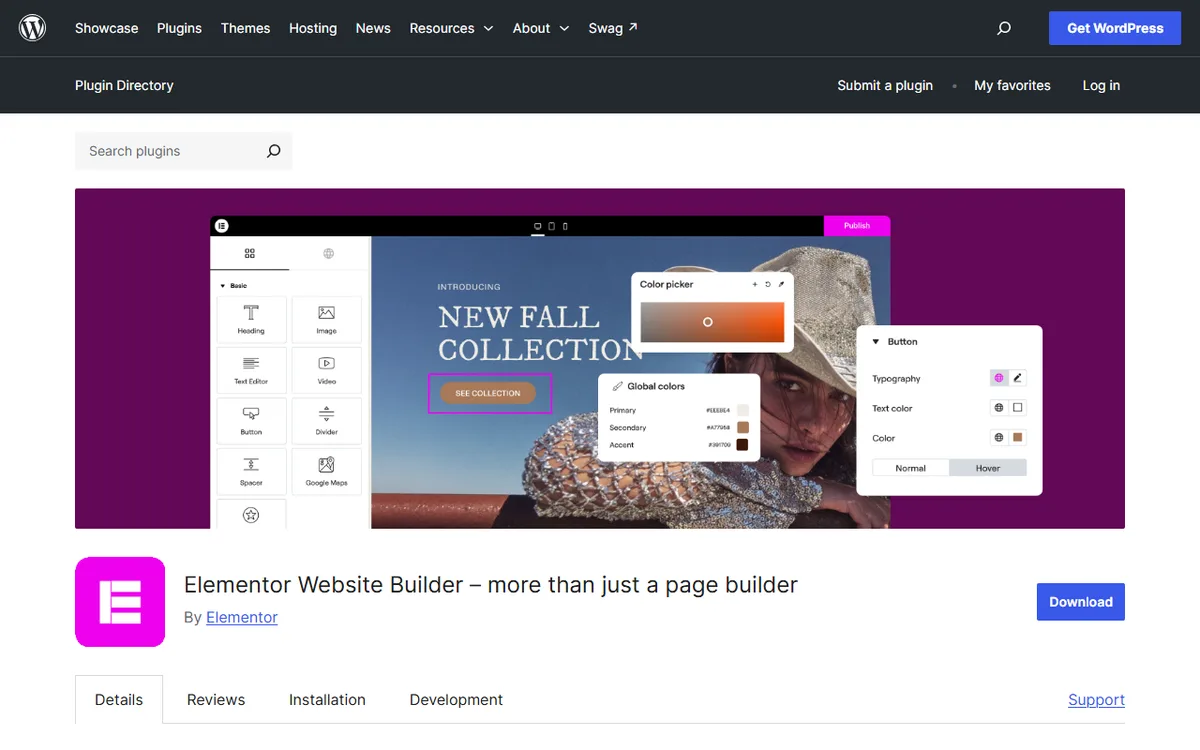
Both free plugins are worth trying on a test site first. For details on what Elementor reserves for paid plans, read Elementor free versus Pro.
Building pages and themes
Theme building
Visual Composer's Theme Builder lets you replace any theme with custom layouts for pages, posts and archives. You can build headers, footers and sidebars and apply them across the site. Assign layouts sitewide or to individual pages, including the 404 page, search page, author page, WooCommerce pages and custom post types. Theme Builder appears on every paid plan on the pricing page.
Elementor's Theme Builder lets you design headers, footers, posts and archives. It comes with the Essential, Advanced Solo, Advanced and Expert plans. The Essential plan does not include the Popup Builder, custom code and CSS, or eCommerce features, which are available starting with Advanced Solo.
Templates and dynamic content
Visual Composer provides 200+ customizable templates that you can edit, save and publish. You can also save any layout as a template, while the Hub offers page, header, footer, sidebar and block templates. Visual Composer templates can use dynamic content placeholders to replace static text with WordPress default and custom fields.
Elementor's Template Library includes website kits and single page, block, and pop-up templates. Elementor Pro provides access to templates in the Elementor Library. Elementor identifies Dynamic Content as a Pro feature that links designs to data sources.
WooCommerce
Visual Composer includes WooCommerce elements for building a store step by step, and lists WooCommerce support for showing products and categories and adding products to the cart. With Elementor's WooCommerce Builder, you can design product pages, shop layouts, archives, carts, checkout and account pages.
Switching between them
Visual Composer says its Website Builder produces static HTML and leaves no shortcodes when deactivated, and that CoSSa can preserve the CSS to prevent content corruption. Elementor's pricing, terms and plugin pages do not explain what happens to pages after Elementor is deactivated.
Visual Composer's pages explain how to import exported Visual Composer templates between WordPress sites and convert existing content, such as Classic Editor content. They do not list Elementor as a source, so they do not describe a converter from Elementor. Treat a move in either direction as a rebuild, following this order:
- Back up the site.
- Make a copy on a staging site.
- Rebuild one page driven by a template and one archive page in the new builder.
- Review any headers and footers you created in Visual Composer's Theme Builder, which lets you make headers, footers and sidebars and apply them across the site. You can assign layouts sitewide or to individual pages.
- Switch to the live site when the staging copy looks right.
Leaving Elementor Pro comes with one specific risk. Alex Collins, who writes nvudev, advises that the site stays live after an Elementor Pro subscription ends, but you should not edit or change the Pro elements on your pages because doing so risks breaking them. The advice is to leave pages built with Pro elements unchanged after the subscription ends, or renew before making changes.
Leaving Visual Composer is less disruptive at first. It continues working on your website after a subscription expires, but you lose uninterrupted updates, template and Hub access and support.
To compare Visual Composer with WPBakery instead, read Visual Composer versus WPBakery.
Which to choose for your situation
- One site, limited budget. Visual Composer Single costs $49 a year and includes Theme Builder and Popup Builder. Elementor Essential costs $60 a year and includes Theme Builder, but not Popup Builder.
- One site, for the long term. Visual Composer Lifetime costs $149 as a one time payment for 1 website, with no yearly subscription fee, two years of support that can be extended and lifetime updates. The prices shown here for Elementor's plans are billed yearly.
- Three to five sites. Visual Composer Plus costs $99 a year for 5 websites. Elementor Advanced costs $108 a year for 3 sites.
- A store. Both include WooCommerce tools. With Elementor, eCommerce features begin with Advanced Solo at $84 a year. Visual Composer lists WooCommerce Support as a feature category on its pricing page, and its paid plans begin with Single at $49 a year, making the store comparison $49 versus $84.
- An agency with 21 to 25 sites. Elementor Expert costs $204 a year for 25 sites, less than Visual Composer Agency at $349 a year.
Sources
- Visual Composer Pricing
- Elementor Pricing
- help.visualcomposer.com: License management
- Visual Composer Refunds Policy
- Elementor Terms and Conditions
- Elementor on WordPress.org
- Visual Composer Theme Builder
- Visual Composer Templates
- Visual Composer Content Elements
- All Visual Composer Features
- visualcomposer.com: Questions and claims about Visual Composer
- Elementor Help Center
- help.visualcomposer.com: Dashboard settings
Frequently asked questions
Is Visual Composer cheaper than Elementor?
For 1 to 20 sites, yes, based on listed prices. Visual Composer costs $49 for 1 site, $99 for 5 and $149 for 20, compared with Elementor's $60 for 1 site and $108 for 3. For 21 to 25 sites, Elementor Expert at $204 costs less than Visual Composer Agency at $349.
Does Visual Composer have a free version like Elementor?
Yes. On its pricing page, Visual Composer offers a free version with 30 elements and 10 templates. Elementor's free plugin includes a live editor, basic widgets and templates.
Does Visual Composer have a theme builder?
Yes. Theme Builder appears in every paid plan on Visual Composer's pricing page, and it lets you create headers, footers and sidebars.
Can I convert a Visual Composer site to Elementor?
Neither vendor documents one in the pages reviewed for this guide. Visual Composer's import tools support its own exported templates and Classic Editor content, while Elementor's WordPress.org page does not mention Visual Composer. Plan to rebuild the pages in Elementor, starting with a staging copy.