
Visual Composer offers a free version and several paid plans. Single costs $49 per year for 1 website, Plus costs $99 per year for 5 websites, Accelerate costs $149 per year for 20 websites, and Agency costs $349 per year for 1,000 websites. The Lifetime plan is a one-time $149 payment for 1 website, with no yearly subscription fee. The prices below were checked on 10 November 2026.
All four yearly plans include the same features, so your choice depends on how many sites you run and whether you prefer to pay yearly or once. This guide explains the plan costs, what the free version does not include, the 30-day refund, how to activate a license and what happens when it expires.
Visual Composer plans and prices
Prices below come from Visual Composer's pricing page as read on 10 November 2026. Check the page before you buy, because the amount at checkout is what counts.
| Plan | Price | Websites | Cost per website |
|---|---|---|---|
| Single | $49 per year | 1 | $49 per year |
| Plus | $99 per year | 5 | $19.80 per year |
| Accelerate | $149 per year | 20 | $7.45 per year |
| Agency | $349 per year | 1,000 | About $0.35 per year |
| Lifetime | $149 once | 1 | $149 one payment |
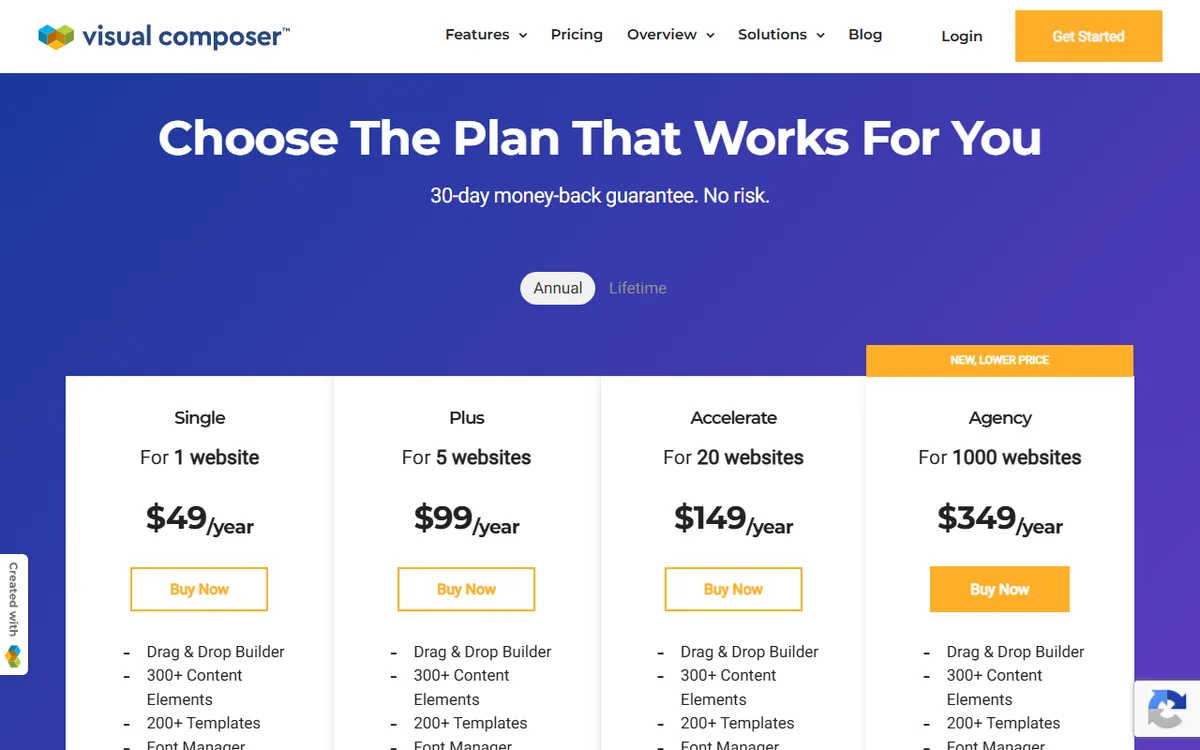
The page labels the Agency plan New, lower price. Visual Composer's license help page says the Lifetime license has no yearly subscription cost and includes support for two years, with an option to extend it. The per-website amounts in the table come from dividing each listed price by its site limit.
The page does not give renewal prices or terms, so the yearly amounts here are the prices for starting a subscription. If you expect to keep a site for several years, check your account or the email Visual Composer sends before renewal to confirm the renewal amount.
Is there a free version of Visual Composer
Yes. Visual Composer offers a free version that remains free forever and does not require a credit card. It works as a page builder within the content area set by your WordPress theme, but it cannot design the rest of the site. Editing the header, footer, sidebar and overall theme requires Premium.
The numbers vary by page. The pricing page lists 30 elements and 10 templates for the free version, compared with 300+ elements and 200+ templates for Premium. The WordPress.org listing states that the free version includes 50+ free elements and 10+ free landing-page templates. Consider the free version a starting point, then evaluate it in your own editor.
To download it, visit visualcomposer.com/get-started, provide your email address, click Get Started and download the free version in a ZIP file. Another option is to search for Visual Composer Website Builder under Plugins, Add New in WordPress and install it there.
Trials and refunds
The pricing page states that there is no trial, but it offers a 30-day money-back guarantee. The home page provides a free Visual Composer Demo that does not require a credit card. Under the refund policy, you can ask for a refund within 30 days of purchase, but not after 30 days from the first payment or for renewal payments. The policy was last revised on 28 September 2021.
What the paid plans add
Premium gives you the full website builder experience and unlimited access to the Visual Composer Hub, a cloud marketplace for elements, templates and extensions. The pricing page shows the same features for every yearly plan: Drag and Drop Builder, 300+ Content Elements, 200+ Templates, Font Manager, Theme Builder, Popup Builder, Insights, Free Stock Images and Premium Support.
Put simply, these are the tools you can use to build:
- A builder for content, headers, footers and sidebars
- A Popup Builder for personalized popups
- 300+ content elements, such as images, buttons, slideshows, tabs and WooCommerce blocks
- Pre-made templates: the pricing page lists 200+, while another Visual Composer page lists 300+ for various industries, so the vendor's own pages do not agree
- Design choices like parallax effects, background videos, shapes and gradients
- An API to build custom content elements for projects and clients
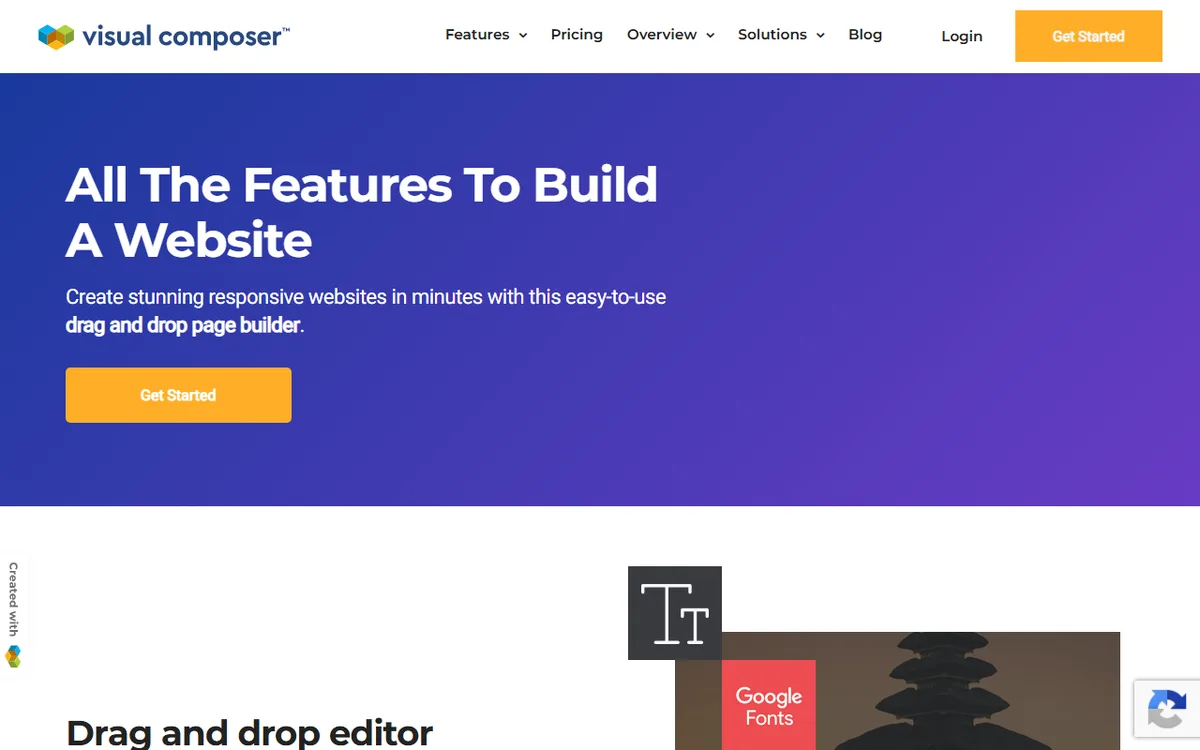
The four yearly plans vary by site count and do not list different features. The Lifetime plan is a one-time $149 payment for 1 website, with no yearly subscription cost. It includes two years of support, which can be extended, and lifetime updates.
Which plan to choose
- One site: Single at $49 a year, or Lifetime at $149 once.
- Two to five sites: Plus for $99 a year. At five sites, that is $19.80 per site, compared with $49 per site for Single.
- Six to 20 sites: Accelerate for $149 a year, or $7.45 per site when all 20 are used.
- A broad client portfolio: Agency costs $349 per year for up to 1,000 sites.
Single year by year versus Lifetime
At the listed price, Single costs $147 over three years, $2 less than the $149 Lifetime plan. Starting in the fourth year, Lifetime costs less overall: $149 compared with $196 for four years of Single. This assumes Single renews at $49, which the page does not confirm. Lifetime has no yearly subscription fee. Its support lasts two years and can be extended, but the vendor pages do not say how much an extension costs, so include that amount if you expect to need support in year three. If you are unsure, begin with the free version.
Lifetime for 1 site costs $149, the same as Accelerate for 20 sites at $149 per year. If you plan to run more than one site, the yearly plan covers more sites for the same initial payment.
WordPress multisite and growth
For WordPress multisite, activate the plugin and license from the root site, then activate a separate license for each sub-site. Every sub-site needs its own license, and building 5 or more sub-sites requires at least the Plus license. If you add sites, you can upgrade to a higher plan later in the subscription section of your account.
How to buy, install and activate Visual Composer
Visual Composer uses the same ZIP file for free and paid versions. Install the plugin once, then activate a Premium license to upgrade it automatically and get full Hub access.
- Install and activate the free plugin. Go to Plugins, Add New, Upload Plugin, upload visualcomposer.zip, click Install Now, and then click Activate Plugin. You can also search for Visual Composer Website Builder in the WordPress plugin directory and install it there.
- Purchase a plan. Sign in to My Visual Composer using the account you created at checkout. There, you can find your license key, manage subscriptions, and view your purchase history.
- Copy the license key. In my.visualcomposer.com, go to licenses, click the key icon, and copy the key.
- In WordPress, hover over Visual Composer and select Activate Premium. Paste the key, then click Activate.
To transfer a license to another domain, sign in to My Visual Composer and deactivate the license, then activate it on the new site. The same page displays the domain where the license is active. When you activate it, Visual Composer identifies whether the site is staging or production, including from local hosting or URL terms such as demo, sandbox, test, and dev.
Requirements
The WordPress.org listing specifies WordPress 5.5 or higher and PHP 7.4 or higher. The documentation also requires MySQL 5.6 or higher and the PHP extensions Zip, cURL, Exif and GD. To access the Hub, the wp-content/uploads folder must be writable, memory_limit must be 256M and max_execution_time must be 90. Check your host under System Status in the Visual Composer Dashboard Settings.
Visual Composer also works with WordPress.com plans that permit plugin installation, as well as with self-hosted WordPress.
What happens when a license ends
Visual Composer continues working on your site when a subscription expires. An active license ensures uninterrupted access to plugin updates, content element updates, template updates, Hub access and support.
For renewals, Visual Composer says it emails you 30 days before an annual subscription renews to let you know payment is scheduled. To prevent a site from renewing automatically, turn off auto-renew. Renewal payments are not refunded, so cancel before the date if you do not want to continue.
The Terms of Use for Hub assets also state that when a license expires, TechMill Ltd., the company named in the terms, no longer provides maintenance. If the license expires without a breach, you can continue displaying the graphic results created before that date, at your own risk and cost.
Visual Composer notes that plugin updates may be necessary to work with new releases of WordPress and other WordPress-related products, which is one reason an active license is important.
Ways to pay less
- Try the free version first. It is free forever and does not require a credit card.
- Choose a plan based on your site count. The per-site cost falls from $49 on Single to $19.80 on Plus (five sites) and $7.45 on Accelerate (twenty sites).
- Choose Lifetime for a single site you plan to keep for a long time. It has no yearly fee and costs less than Single starting in the fourth year, before any support extension.
- Take advantage of the 30-day refund window. Submit your request within 30 days of purchase.
- Turn off auto-renew if a site is complete and no longer needs updates.
Visual Composer Website Builder is not the same product as WPBakery Page Builder, as the Visual Composer pre-sales page states. The Visual Composer versus WPBakery guide covers the difference. For a side by side comparison with a rival, see Visual Composer versus Elementor, Elementor pricing and Divi pricing.
Sources
- Visual Composer Pricing
- License Management
- Refunds Policy
- Visual Composer Website Builder on WordPress.org
- Pre-sales Questions
- Installation
- Visual Composer Home
- Features
- Premium Activation
- System Requirements
- Terms of Use
Frequently asked questions
How much does Visual Composer cost?
Single costs $49 per year for 1 site, Plus costs $99 for 5 sites, Accelerate costs $149 for 20 sites and Agency costs $349 for 1,000 sites. A Lifetime plan for 1 site costs $149 as a one time payment, with no annual subscription. Prices were checked on 10 November 2026.
Is Visual Composer free?
A free version is available forever and does not require a credit card. Premium includes a full website builder experience, the Visual Composer Hub and support.
Does Visual Composer have a refund policy?
Yes. You can ask for a refund within 30 days of purchase. Refunds are not available after 30 days from the first payment or for renewal payments.
What happens if my Visual Composer license expires?
The plugin continues to work on your site. You will no longer have uninterrupted access to updates, the Hub and support until you renew.
How do I activate Visual Composer Premium?
In WordPress, hover over Visual Composer, select Activate Premium, paste the license key from my.visualcomposer.com and select Activate.