
Searching for Visual Composer may bring up two different plugins. One is WPBakery Page Builder, formerly known as Visual Composer. The other is Visual Composer Website Builder, which now uses that name.
This guide covers how the change happened, what each plugin does now, and how to choose between them. For the older plugin's full license list, see the WPBakery pricing guide, and for the newer plugin, see the Visual Composer pricing guide.
The short answer: two products, one shared history
WPBakery Page Builder and Visual Composer Website Builder are separate plugins. WPBakery's own help pages call them independent products that cannot simply replace each other. Visual Composer's own blog says they are two completely different products, not one plugin with two names.
The confusion makes sense because the older plugin was called Visual Composer Page Builder until WPBakery renamed it in October 2017. Since then, Visual Composer has been the name of a new product. Visual Composer's comparison page says both products come from the same team but serve different purposes: WPBakery is a page builder, and Visual Composer is a website builder. WPBakery's help page describes the same distinction: WPBakery manages the content, while Visual Composer is designed for the entire website.
How one name became two products
WPBakery's help page says the Visual Composer Page Builder plugin was renamed WPBakery Page Builder starting in October 2017. It links the change to Envato updating its exclusivity policy on 1 November. Under that policy, the same trademark could not be used for both the new Website Builder plugin and the Page Builder plugin, so the older plugin got a new name.
Visual Composer's own blog tells the same story from the other side. It says the old Page Builder was an Envato exclusive product sold with a lifetime license, and the marketplace contract did not allow another product to use the name Visual Composer outside the platform. The team says it chose to rename the Page Builder rather than remove features from the new product, and the Page Builder became WP Bakery.
The blog also explains the business reason for the new product. The Website Builder was designed to move away from lifetime licenses because its higher development costs could only be supported by a yearly license model.
What each plugin is today
WPBakery Page Builder
WPBakery is a WordPress plugin that builds layouts with front-end and back-end drag-and-drop editors. It edits content within the theme you already use, and its site says it works with any WordPress theme. It has no free license, and all licenses are lifetime, which the site describes as paying once and using forever.
Visual Composer Website Builder
Visual Composer calls itself a website builder for WordPress with a live-preview editor and drag-and-drop features. Its premium version includes a header, footer and sidebar editor, so it is designed to build the whole site rather than just the page content. Its site says it works with any theme, including the one you already use.
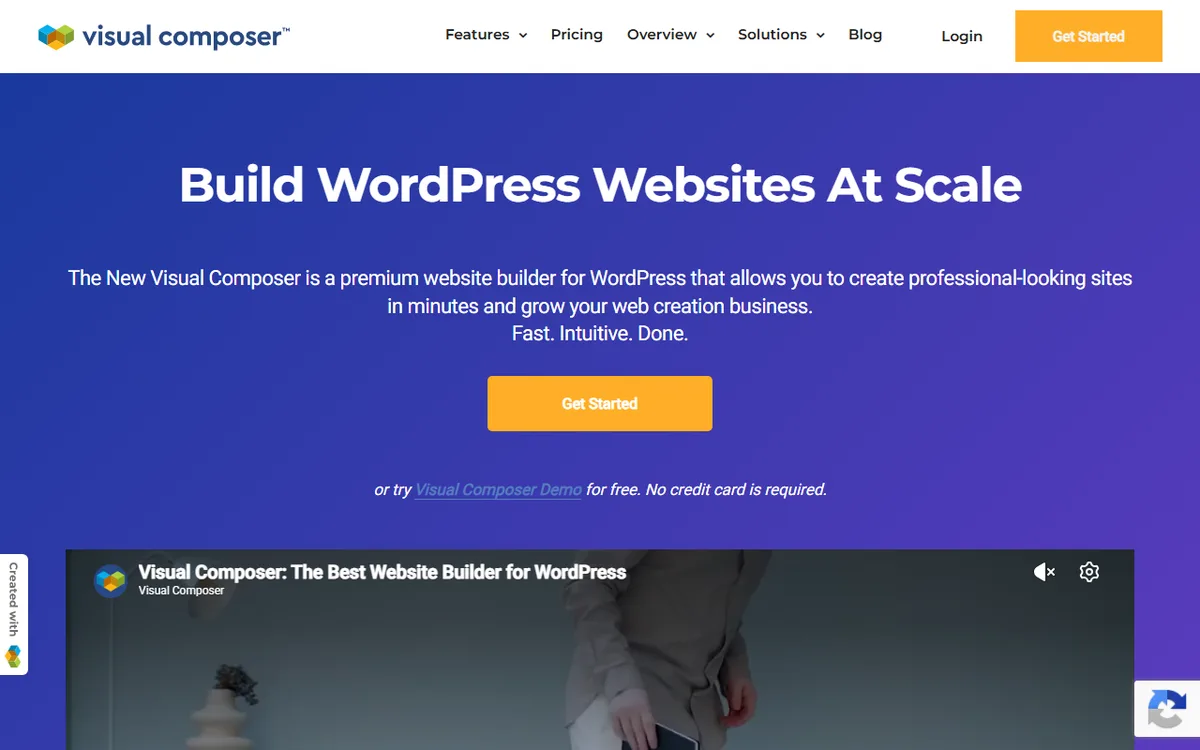
Visual Composer offers a free version, and its pricing page says it stays free forever with no credit card required. That page lists 30 elements and 10 templates for the free version, while the WordPress.org listing says 50+ free elements. Since the numbers differ across the two official pages, check the plugin page for the current count before deciding.
The free version functions as a page builder within the content area set by your theme. Premium adds full-site design, including headers and footers, plus unlimited use of the Visual Composer Hub, a cloud library of elements, templates and extensions.
Side by side
Prices below come from the two vendors' own pricing pages as seen on 10 November 2026. Check WPBakery and Visual Composer before you buy.
| WPBakery Page Builder | Visual Composer Website Builder | |
|---|---|---|
| Type | Page builder for the content area of your theme | Website builder. The free version works in the content area, Premium adds header, footer and sidebar editing |
| Free version | No free license | Yes, free forever |
| Pricing model | Lifetime licenses only | Yearly plans plus a Lifetime plan |
| Cheapest paid option for 1 site | $82 lifetime | $49 a year, or $149 Lifetime |
| Included support | One year of premium support with every plan | Yearly plans include Premium Support. The $149 Lifetime plan includes two years of support and lifetime updates |
| Relationship | Separate product, cannot simply be replaced by Visual Composer | Separate product, not a direct replacement for WPBakery |
The WPBakery pricing guide and the Visual Composer pricing guide list every plan and what each includes.
For one site, paying yearly costs less at the start. Visual Composer begins at $49 a year, while WPBakery costs $82 as a one-time payment. Visual Composer says the plugin keeps working on your site when a subscription ends, but you need an active license for plugin and template updates, the Hub and support. It also offers a refund when requested within 30 days of a new purchase.
Which one your site uses
Begin with the plugin's name. The newer product is Visual Composer Website Builder, and the older product is now called WPBakery Page Builder. Older versions may be listed as WPBakery Visual Composer. Tutorials from before WPBakery's October 2017 rename that mention Visual Composer usually refer to the plugin now named WPBakery Page Builder, so compare their screenshots with the plugin name on your site.
Next, check the labels used in your editor. The official help pages document these labels:
- Go to your Plugins list and check the plugin name. WPBakery Page Builder and Visual Composer Website Builder are two separate plugins.
- Check the WordPress admin bar at the top of a page or post. WPBakery calls it Edit with WPBakery Page Builder, and its editor offers Backend Editor and Frontend Editor modes, along with an Add Element button.
- Visual Composer's documented controls include Edit with Visual Composer and Add New with Visual Composer, as well as Add Content, Tree view, Insights, Responsive view and Settings.
There is another difference beneath the editor. WPBakery says it uses shortcodes, but Visual Composer Website Builder does not. This is another reason to test any switch on a copy of your site first.
Many themes include WPBakery. Visual Composer's blog says the old Page Builder came as a premium plugin in most major WordPress themes. If your theme included it, WPBakery says you can use it free of charge for as long as you use that theme, since you have a license through the theme.
A bundled copy comes with limits. The theme author owns the license, so only the author can download new versions and provide them to you. Send support questions to the theme provider. Buying the theme does not provide a separate WPBakery license.
For updates and support directly from WPBakery, you need a direct license. WPBakery says its benefits include direct updates, official support tickets, the Template Library, use with any theme and license management through its Client Portal. Theme users can also get 10% off a direct license by entering the code getwpb10 at checkout. Some cloud features require an active support period.
The Theme Integration license, formerly called the Extended License, is different. It is for theme authors who want to include WPBakery in one theme, not for people installing the plugin on their own or their clients' sites. It is listed at $82 and includes one year of use in a single theme, one year of support and free updates.
If you purchased the old Visual Composer Page Builder before it was renamed, WPBakery says you can get WPBakery Page Builder updates at no extra cost.
Which one to choose
Your situation matters more than any feature list. Here is how the official descriptions fit common cases.
- Your theme already includes WPBakery. Continue using it. You can use it at no cost while using that theme, and the theme author provides updates. Switching is not straightforward, as WPBakery's help pages say it cannot be replaced with Visual Composer and no migration option is available.
- You are building a new site and want a free builder. Visual Composer offers a free version, and WPBakery's own help page recommends it to people asking whether WPBakery is free. WPBakery's site invites you to try it for free but does not explain what the free try includes. Its help page also says there is no free license.
- You want to create headers, footers and sidebars. This is a Visual Composer Premium feature. WPBakery is described as a tool for editing the content area within an existing theme.
- You would rather pay once. For one site, WPBakery Regular costs $82 for lifetime access, while Visual Composer Lifetime costs $149 and comes with two years of support and lifetime updates. Visual Composer's lifetime plan is for 1 site only, while WPBakery also offers lifetime licenses for 5 sites at $299 and 10 sites at $592. Lifetime does not mean lifetime support here. All WPBakery plans include lifetime manual updates, but premium support, Template Library access and WPBakery AI access are available for only one year.
- You build sites for clients. Review the license terms for the plan you purchase. WPBakery's Theme Integration license is not intended for installing the plugin on client sites, so consider a direct license. For many sites, Visual Composer Agency covers 1,000 sites for $349 a year, while WPBakery's 10 Sites license costs $592 once and includes one year of support.
This guide has not tested either plugin. Visual Composer’s WordPress.org listing says they differ in performance, functionality, and features. That is Visual Composer’s own claim. Before committing, try the free Visual Composer version or free demo, which does not require a credit card, on a test site. For other options, read the WPBakery vs Elementor guide or the overview of the best WordPress page builders.
Sources
- WPBakery Page Builder vs Visual Composer Page Builder (KB FAQ)
- Visual Composer's New Name and the Confusing Story Behind It
- Visual Composer vs WPBakery
- WPBakery Page Builder main page
- Is WPBakery Page Builder free? (KB FAQ)
- Visual Composer Website Builder main page
- Visual Composer Pricing
- Visual Composer plugin on WordPress.org
- WPBakery Page Builder Pricing
- kb.wpbakery.com: Wpbakery page builder visual composer page builder
- help.visualcomposer.com: Install Visual Composer
- kb.wpbakery.com: Set up the environment
- kb.wpbakery.com: Creating a custom element
- Can I update WPBakery if I bought it in a theme? (KB FAQ)
- Theme Integration License (KB)
- Advantages of a direct WPBakery license (KB FAQ)
Frequently asked questions
Is WPBakery the same as Visual Composer?
No. Since October 2017, the old Visual Composer plugin has gone by the name WPBakery Page Builder. Today’s Visual Composer is a separate website builder.
Is there a free version of Visual Composer, and a free WPBakery license?
WPBakery does not provide a free license. Visual Composer offers a free version that its pricing page describes as free forever, with fewer elements and templates than Premium.
Can I switch from WPBakery to Visual Composer?
WPBakery's support pages say it cannot be replaced by Visual Composer. They also say a migration tool was planned for a later date.
Do I have to pay for WPBakery if my theme includes it?
No, WPBakery says you can use it for free as long as you use the theme that came with it. You need your own license for direct updates and support tickets.