
SeedProd offers four paid plans. Basic usually costs $79 for 1 site, Plus usually costs $199 for 3 sites, Pro usually costs $399 for 5 sites, and Elite usually costs $599 for 100 sites. SeedProd Lite is also available for free, and paid plans include a 14-day money-back guarantee.
The page calls these the Normally prices and notes that special introductory pricing is available, so the checkout price may be lower. This guide covers each plan, what Lite does not include, how the cost per site works, how to install and activate the plugin, and what happens when the license period ends.
What SeedProd costs
Prices below come from the SeedProd pricing page, as seen from the United States on 10 November 2026. All pricing is in USD. The page says special introductory pricing applies and all renewals are at full price. Check the page before you buy.
| Plan | Normally | Sites | Support | Main extras |
|---|---|---|---|---|
| Basic | $79 | 1 | Standard | 50 PRO Templates, 90+ PRO Page Blocks, drag and drop builder, subscriber management, access controls |
| Plus | $199 | 3 | Standard | Full Website Kits, Theme Builder, 100 PRO Templates, 100+ PRO Section Templates, email marketing integrations, 2 Million Stock Photos bonus |
| Pro | $399 | 5 | Priority | 300+ PRO Templates, Dynamic Text, 3000+ Zapier Integrations, plus the Plus features |
| Elite | $599 | 100 | Priority | WooCommerce Support, Easy Digital Downloads, Domain Mapping, plus the Pro features |
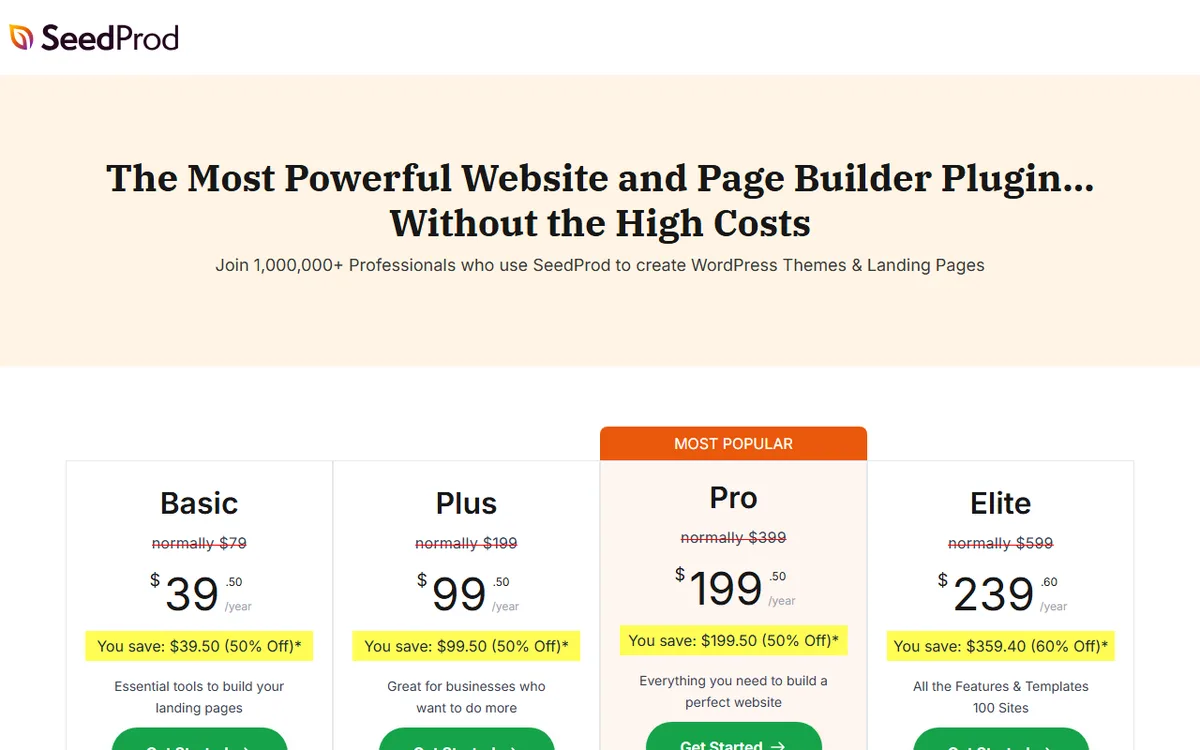
The captured page records the sale prices SeedProd displayed that day, each labeled per year: Basic $39.50, Plus $99.50, Pro $199.50 and Elite $239.60. It shows 50 percent off for the first three plans and 60 percent off for Elite. The page does not specify a billing period, so treat the screenshot as a record of what was displayed on 10 November 2026 and confirm the period and price at checkout.
The pricing page says you can switch plans or cancel your account at any time. It also says every plan can create Coming Soon, Maintenance, 404 and Login pages, Plus and higher can create any type of landing page, and Pro and higher can build a full website and theme.
Is there a free version of SeedProd
Yes. SeedProd Lite is free forever and never expires, and you can download it from WordPress.org. The WordPress.org page says the free version can create landing pages, coming soon pages and maintenance mode pages, and comes with a range of Coming Soon Page and Maintenance Mode templates.
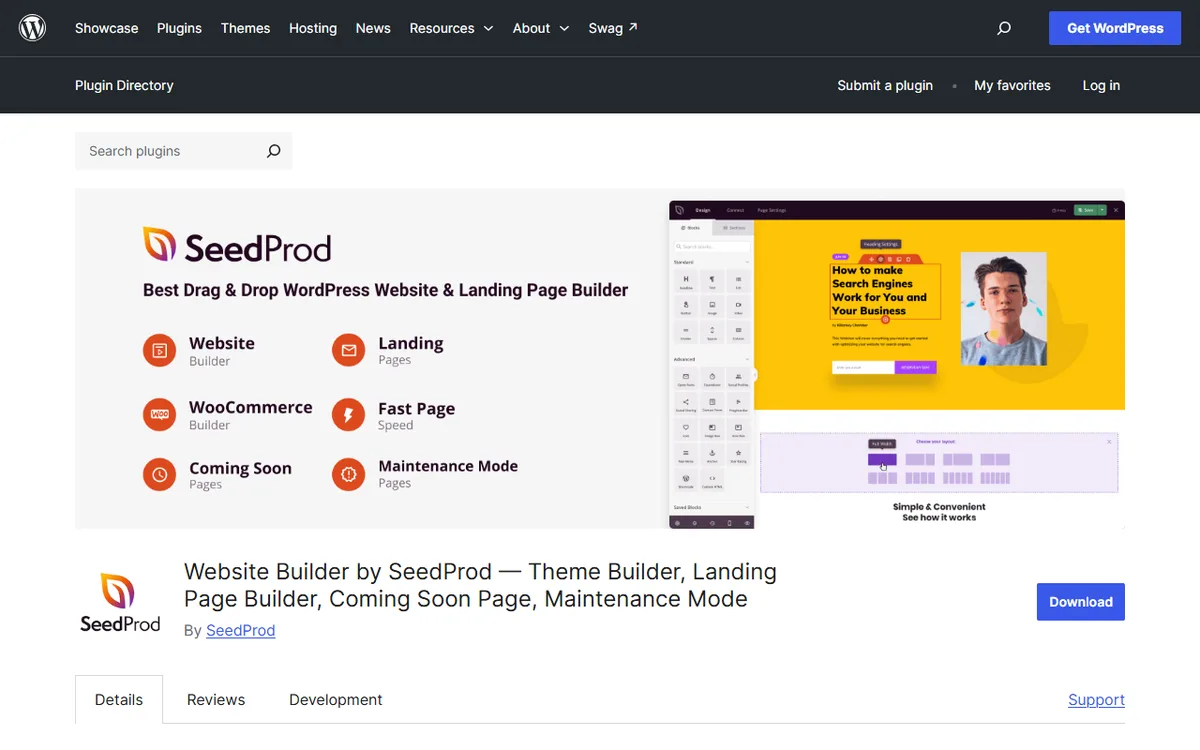
Lite comes with a drag-and-drop landing page builder, coming soon and maintenance mode, basic page blocks, responsive design compatible with any WordPress theme, and landing-page import and export. Its choice of landing-page templates is limited.
Many people buy SeedProd for features that Lite does not include. SeedProd says Lite lacks the WordPress theme builder, the WooCommerce store builder, email integrations, Pro blocks, a custom login page and Easy Digital Downloads. The WordPress.org listing also says WooCommerce and eCommerce integration are available only in the Pro version, and that 404 pages and login pages require Pro.
The paid plugin has no time-limited trial. SeedProd says it does not offer a time-limited Pro trial and instead points to the 14-day money-back guarantee. The WordPress.org page lists WordPress 5.0 or higher and PHP 5.6 or higher.
In the WordPress dashboard, go to Plugins, then Add New Plugin, search for SeedProd and select Install Now to install Lite. Select Activate, then open SeedProd from the left-hand menu. To create a page, select Landing Pages, then Add New Landing Page, and pick a template.
What the paid plans add
- Basic includes the special pages available with every plan: Coming Soon, Maintenance, 404 and Login. It includes 50 PRO Templates and 90+ PRO Page Blocks.
- Plus includes Full Website Kits, Theme Builder, email marketing integrations and the option to make any type of landing page.
- Pro includes 300+ templates, Dynamic Text, 3000+ Zapier integrations and Priority Support, and the page says Pro and higher can create a complete website and theme.
- Elite includes WooCommerce Support, Easy Digital Downloads and Domain Mapping, and increases the site limit to 100.
One detail is unclear and worth verifying before paying. The pricing page shows Theme Builder starting with Plus, but the features page says the Theme Builder is included in the Elite and Pro plans. If the theme builder determines your choice, check the plan card at checkout. The features page says it can be used to create headers, footers, pages, posts, archives, sidebars and WooCommerce pages.
Email integrations include Mailchimp, ConvertKit, MailerLite, Brevo, Constant Contact and more. Email submissions are stored in the WordPress database and can be exported to use with any service.
Which plan to choose
The number of sites shapes most of the decision. Divide each regular price by its site limit to find the cost per site, and the result may surprise you.
| Plan | Normally | Sites | Cost per site at the normal price |
|---|---|---|---|
| Basic | $79 | 1 | $79.00 |
| Plus | $199 | 3 | $66.33 |
| Pro | $399 | 5 | $79.80 |
| Elite | $599 | 100 | $5.99 |
Plus costs less per site than Basic or Pro. Elite costs much less per site, but only if you actually use many of its 100 sites. Two sites with two Basic licenses would cost $158 at the regular price, less than a single Plus license at $199, but Basic does not include the Theme Builder or email marketing integrations. Three sites with Basic would cost $237, making Plus at $199 the cheaper option for three.
- One simple landing or coming soon page: begin with free Lite, then purchase Basic if you need Pro templates and blocks.
- Up to three sites that need a theme and email tools: choose Plus.
- A few sites that need dynamic data or Zapier: choose Pro.
- A web store or an agency managing many client sites: Elite, because it includes WooCommerce Support and 100 sites.
If you are comparing builders, SeedProd vs Elementor compares these prices with Elementor's. To see the full range of options, visit the WordPress page builders overview.
How to buy, install and activate SeedProd Pro
- Sign in to your SeedProd member dashboard, download the SeedProd Landing Page Pro plugin ZIP file, and copy your license key.
- In WordPress, open Plugins, then Add New, and click Upload Plugin. Choose the downloaded ZIP file (its name starts with seedprod and ends with pro.zip), click Install Now, and then click Activate Plugin.
- Enter the license key in the license field and click Verify Key. You can find these settings later by going to SeedProd, then Settings, then License Key.
Staging and local sites are not included in the license activation limit when their domain contains local, test, staging, dev or .wp. Examples include website.local, website.test, wp-staging.website.com and website.dev. This is useful when you build on a staging copy before going live.
To update manually, start by creating a full backup. Find your installed version in the SeedProd dashboard or under Plugins, then Installed Plugins, and compare it with the newest release on the SeedProd Changelog page. Pro users can download the latest ZIP from the Downloads page in their SeedProd account. Upload it by going to Plugins, then Add New, then Upload Plugin, and click Replace current with uploaded when asked.
What happens when a license ends
The Terms state that support, updates and plugin downloads are available for one year after the original purchase. After one year, you must renew the license to continue receiving them. Unless you notify SeedProd before the subscription period ends, it renews automatically at the current annual or monthly rate. You can cancel in the My Account and Billing section of the dashboard.
The Terms also state that if a license becomes inactive and is no longer valid, SeedProd no longer has to provide the services. You cannot use the account to download plugin files, create new forms or edit existing forms or templates, and content may be deleted and cannot be restored. That wording is strong, so keep your own backups of anything you build.
The renewal price is the full price, not the introductory price. The pricing page states that all renewals are at full price and subscription renewals are non-refundable, since the money-back guarantee covers new purchases only. If you do not want to renew, cancel before the card is charged. A refund will not be issued if adequate notice was not received.
The 14-day refund, step by step
SeedProd provides a 14-day money-back guarantee for all new paid accounts. The request must arrive within 14 days of opening the account and be submitted no more than 24 business hours after the 14-day period ends. Contact the support team with the account email address and the reason. Refunds may be immediate or take 5 to 10 business days to appear on a card statement.
Ways to pay less
- Try it free. SeedProd Lite stays free forever and includes landing pages, coming soon pages and maintenance pages.
- Choose the smallest plan that works. Check the per-site table above: at the regular price, Plus costs less per site than Basic or Pro.
- Purchase at the introductory price. The page notes that special introductory pricing is available and renewals cost the full price, so budget for the higher renewal.
- Apply the official coupon. SeedProd's coupon page states that code SAVE50 takes 50% off any plan at checkout and is SeedProd's only official coupon code. The page title refers to 2021, so check at checkout to make sure the code still works.
- Take advantage of the refund period. If a paid plan is not right for you, you have 14 days to request a 100% refund.
SeedProd cautions that other websites advertise misleading offers called SeedProd Coupon, Promo Codes or Discount Code, so use only the code on the official page. For another task, such as turning on a page before launch, read how to use the SeedProd coming soon page.
Sources
- SeedProd Pricing
- SeedProd Free Trial
- SeedProd Lite / Free Version
- SeedProd Lite at WordPress.org
- SeedProd’s Features
- How to Install and Activate the Pro Plugin
- Manually Updating the Plugin
- SeedProd Terms of Service
- SeedProd Refund Policy
- Official SeedProd Coupon
Frequently asked questions
How much does SeedProd cost?
SeedProd lists four plans: Basic at a normal price of $79 for 1 site, Plus at $199 for 3 sites, Pro at $399 for 5 sites and Elite at $599 for 100 sites. The page notes that special introductory prices apply and renewals are charged at full price.
Is SeedProd free?
SeedProd Lite is free forever and available to download from WordPress.org. It does not include the theme builder, WooCommerce store builder or email integrations.
Does SeedProd have a free trial?
SeedProd does not have a time-limited Pro trial. SeedProd Pro comes with a 14-day money-back guarantee, while the free Lite version never expires.
Can I get a refund on SeedProd?
New paid accounts come with a 14-day money-back guarantee. Renewals cannot be refunded.