
Most of the update is documentation rather than a new button. It provides site builders with a written guide to how page code can work with forms, lists, sign in, languages and Dataverse data, and gives administrators documented steps to transfer a site to a new owner.
The post also covers Power Apps, Power Automate and other products. This article focuses only on Power Pages.
What is new
- 12 Client API documentation items are listed under Power Pages, each marked Preview, from an overview to control types, forms, lists, languages, user authentication and Dataverse records, files and images.
- A guide titled Transfer ownership of a Power Pages site is listed as new.
- A Power Pages Application Lifecycle Management (ALM) white paper is listed as new.
- The Updated section adds changes to site visibility and governance controls, migration to the enhanced data model, lists, geolocation and authentication pages.
Taken from the official update: microsoft.com [1]
What the Client API guides cover
The twelve Preview items are grouped by what page code can access. Forms and page structure are covered by Forms, Tabs and Sections, Initialization, and the Client API control types. Page data is covered by Lists for Rows, Columns, Cells and Events, and Dataverse Records, Files and Images. Languages explains how to get and set website languages, while User Authentication Methods covers the signed in visitor. Server Endpoints and Cloud Flows and Client API for Copilot Studio Agents connect beyond the page. The remaining three items are the Controls Reference, Power Pages Client API Examples and the Client APIs Overview.
Fact checked on 10 Nov 2026 against microsoft.com [1]
For page customizations that use code, begin with the overview and examples, and refer to the controls reference later when you need specific details.
The entry labels these items Preview. It provides no rollout date and does not say which plans support them, so check your environment before planning client work around any of them.
Fact checked on 10 Nov 2026 against microsoft.com [1]
Modern lists are the catch in the Client API
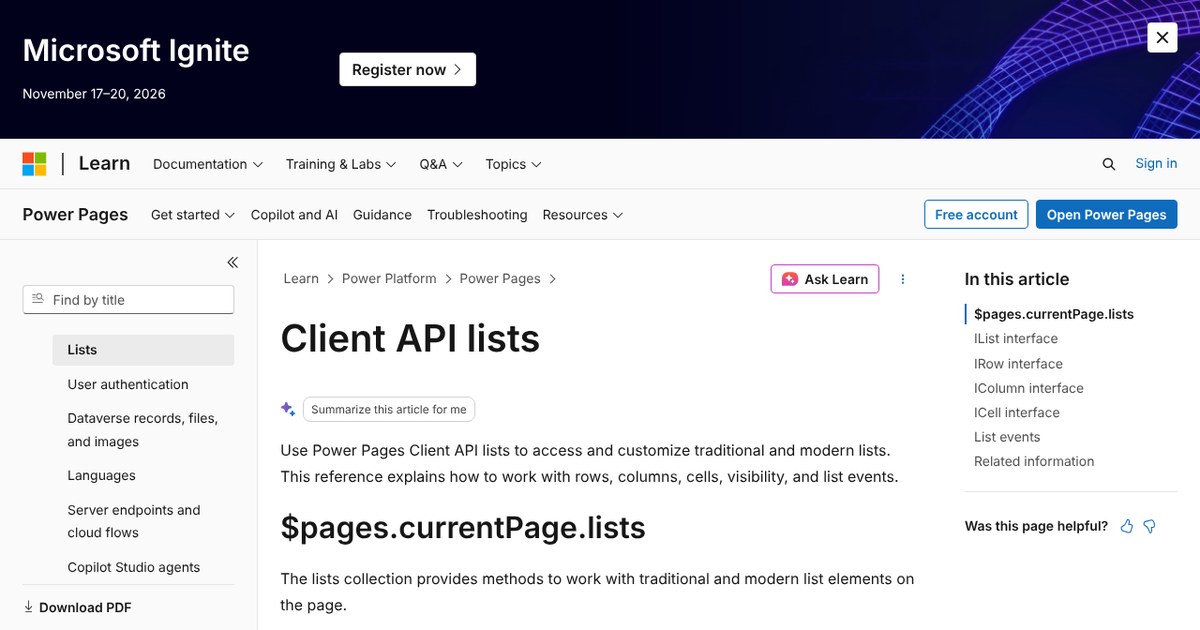
The lists reference explains that the Client API can access and customize both traditional and modern lists. It also describes working with rows, columns, cells, visibility and list events.
Fact checked on 10 Nov 2026 against learn.microsoft.com [2]
One easy to miss limitation applies to rows, columns, cells and events: these capabilities work only with modern lists. They do nothing or return empty results with traditional lists. If a site uses traditional lists, check which list type a page has before writing code for it.
Fact checked on 10 Nov 2026 against learn.microsoft.com [2]
Ownership transfer and the ALM white paper
The transfer guide is a new entry in this update’s list, but the capability itself is older. Microsoft’s release plan records that self-service site ownership transfer was added to its change history on July 9, 2026, and lists September 2026 as the target for both public preview and general availability. The admin guide containing the steps was last updated October 13, 2026.
Fact checked on 10 Nov 2026 against learn.microsoft.com [4], learn.microsoft.com [5], learn.microsoft.com [6]
The guide directs administrators to the Power Platform admin center. Go to Manage, then Power Pages, select the site, and open Site Details and Edit. Change the Owner there, then select Save and Transfer.
Fact checked on 10 Nov 2026 against learn.microsoft.com [3]
To start a transfer, the person must be the website app owner and have a System administrator, Dynamics 365 administrator or Power Platform administrator role. The new owner must be an enabled Microsoft Entra user with the Member user type. For sites using the Power Platform managed identity model, web app ownership is not required to start a transfer.
Fact checked on 10 Nov 2026 against learn.microsoft.com [3]
Once the transfer is complete, the new owner becomes the site’s primary owner. The previous owner might lose access, depending on the site’s permissions and configuration. The transfer cannot be undone automatically. An authorized administrator must transfer ownership back to restore the previous owner, so verify the new owner’s account before saving.
Fact checked on 10 Nov 2026 against learn.microsoft.com [3]
The ALM white paper recommends an approach based on environment strategy, source control and branching, solution and repository structure, developer workflows, and automated release pipelines. It also explains how to validate changes with automated checks and consistently promote one release artifact across environments. The white paper’s Learn page was last updated October 26, 2026.
Fact checked on 10 Nov 2026 against learn.microsoft.com [7], learn.microsoft.com [8]
What the official notes do not say
- The update entry lists the transfer guide and the ALM white paper by title only, so it does not tell you whether the transfer capability is new or only newly documented. Microsoft's release plan shows it was announced in July 2026.
- The update entry and the documentation reviewed do not say which paid plans, licenses or site versions receive the preview Client APIs, or when they roll out.
- They do not give a price or service quota for the listed Client APIs, and they do not name an existing feature that the APIs replace.
- Who can skip this: if your sites use no custom page code and you do not need to change an owner, treat this update as reference material.
How it helps: an agency that built a Power Pages site for a client and is handing it over
The task. Transfer ownership of the site to someone on the client’s team
- Check that the new owner is an enabled Microsoft Entra user with the Member user type.
- Sign in as the website app owner with a System administrator, Dynamics 365 administrator or Power Platform administrator role.
- In the Power Platform admin center, go to Manage, then Power Pages, and select the site.
- Open Site Details and select Edit.
- Change the Owner to the new person and select Save and Transfer.
The result. A new person becomes the site’s primary owner. Depending on the site’s permissions and setup, the agency account may lose access, and an administrator must transfer ownership again to restore it.
Fact checked on 10 Nov 2026 against learn.microsoft.com [3]
Other ways to use it
Before writing code to read list cells or respond to list events, the developer checks whether the page uses a modern list. Calls on a traditional list do nothing or return empty results, so checking first avoids wasting time debugging code that is not at fault.
Fact checked on 10 Nov 2026 against learn.microsoft.com [2]
Before leaving, the owner asks an administrator to transfer the site, since the previous owner might lose access after the transfer and the new owner becomes the primary owner.
Fact checked on 10 Nov 2026 against learn.microsoft.com [3]
Related nvudev guides
Sources
- https://www.microsoft.com/en-us/power-platform/blog/power-apps/whats-new-in-power-platform-october-2026-feature-update/ (official update)
- https://learn.microsoft.com/power-pages/configure/client-api/lists
- https://learn.microsoft.com/power-pages/admin/transfer-ownership
- https://learn.microsoft.com/en-us/power-platform/release-plan/2026wave1/change-history
- https://learn.microsoft.com/en-us/power-platform/release-plan/2026wave1/power-pages/enable-self-service-site-ownership-transfer
- https://learn.microsoft.com/en-us/power-pages/admin/transfer-ownership
- https://learn.microsoft.com/en-us/power-pages/guidance/white-papers/application-lifecycle-management
- https://learn.microsoft.com/en-us/power-pages/guidance/white-papers/
Facts in this article were checked against these sources on 10 Nov 2026. Product details change, so check the official page before you rely on them.