
Most changes make work in the Builder faster. The form changes are different: they affect the markup visitors receive, so custom CSS or JavaScript that targets form groups may need new selectors.
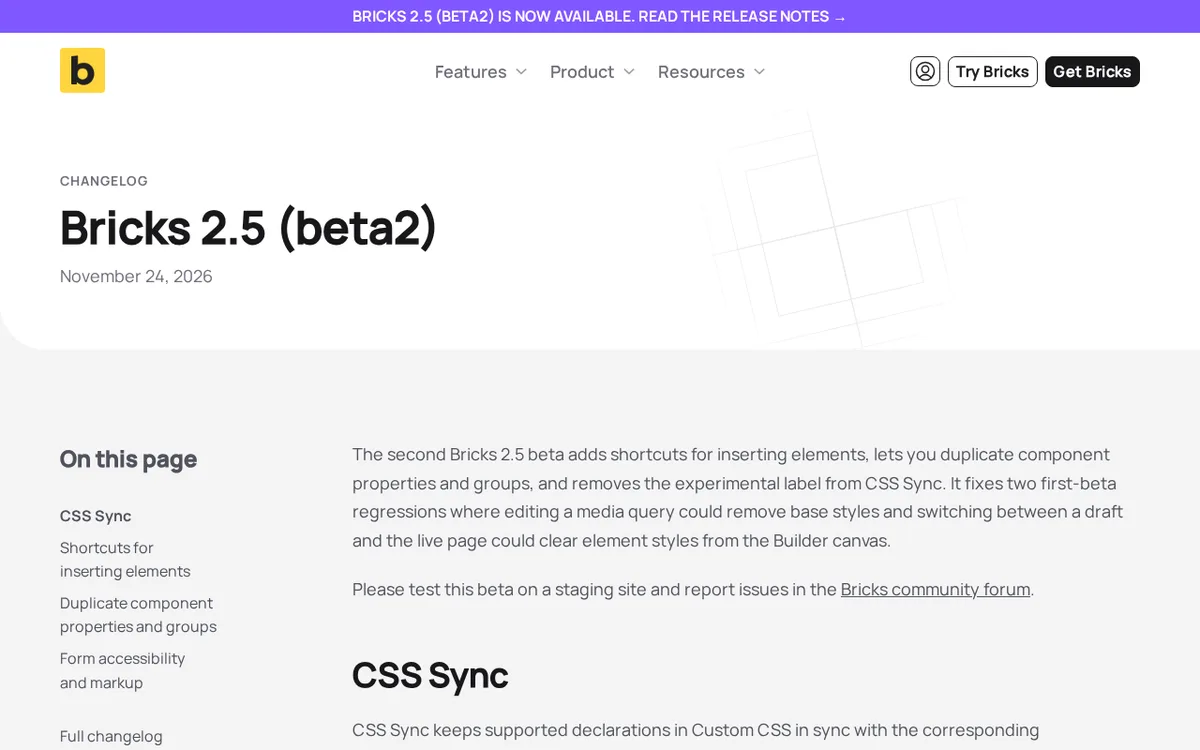
This is a beta. Bricks recommends testing it on a staging site, and sites that remain on the stable release will not get these changes until the final 2.5 release.
What is new
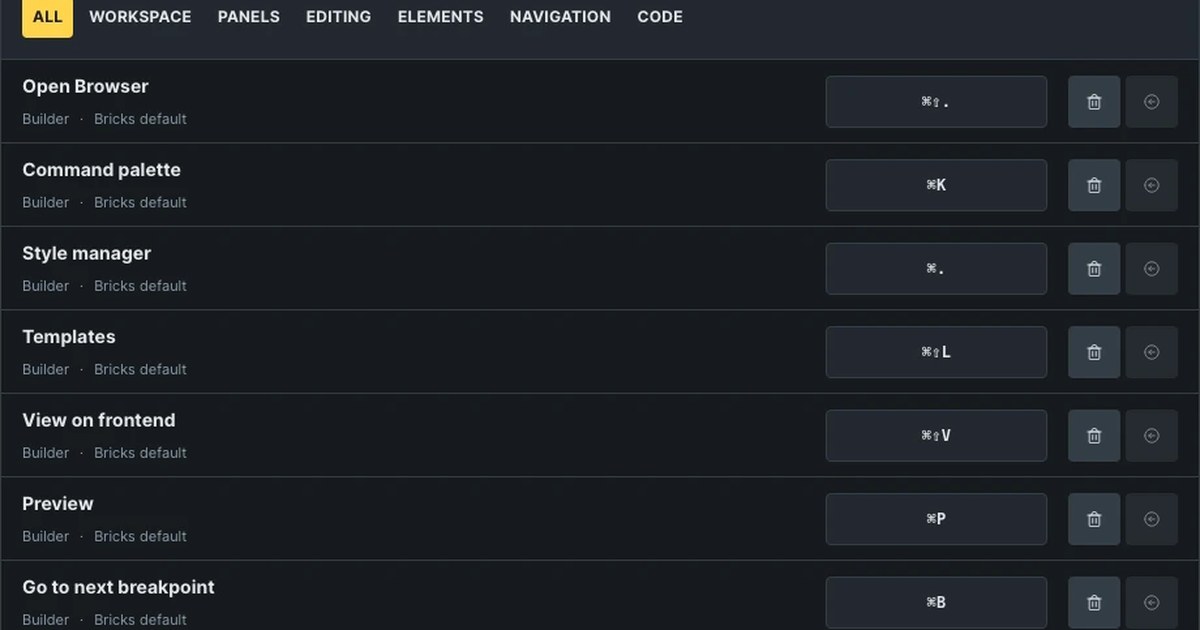
- Custom shortcuts that insert a chosen element, such as a Heading or a Button, set under Manage > Keyboard shortcuts.
- Duplicate one property, or copy a whole group, from the Properties panel while editing a main component.
- CSS Sync no longer carries the experimental label, and it stays opt-in.
- Form validation messages can be announced by screen readers, and checkbox and radio groups use a fieldset wrapper.
- Fixes for a media query edit that could remove base styles and a draft and live switch that could clear canvas styles.
Taken from the official update: bricksbuilder.io [1]
What an insertion shortcut saves compared with adding elements today
Bricks already offered several ways to add an element. Open the Elements panel and drag an element onto the canvas or into the Structure panel, placing it inside a nestable element, between siblings, or at the root level. When a nestable element is selected, the context menu can also add layout elements.
Fact checked on 25 Nov 2026 against academy.bricksbuilder.io [4]
There are keyboard options as well. The documented default shortcut for the Elements panel was Cmd or Ctrl plus Shift plus E, which also put focus in the search field. Added in Bricks 2.0, the Command Palette opens with Cmd or Ctrl plus K: type an element name, use the arrow keys to select it, and press Enter.
Fact checked on 25 Nov 2026 against academy.bricksbuilder.io [5], academy.bricksbuilder.io [6]
All of these options still require a panel, a search, or a drag. An insertion shortcut skips those steps for elements you use throughout the day. Go to Manage > Keyboard shortcuts, select an element under Insert element, click Add shortcut, and press your combination. You can do this for a Heading, a Button, or another element you have permission to add.
Fact checked on 25 Nov 2026 against bricksbuilder.io [1]
Bricks 2.5 also lets you change the default shortcuts. Check the Keyboard Shortcuts page in the Bricks documentation, which lists the defaults, before choosing a combination that conflicts with one.
Fact checked on 25 Nov 2026 against academy.bricksbuilder.io [2]
The release notes do not specify a limit on the number of shortcuts you can create or list the key combinations that are allowed.
Components and CSS Sync get smaller changes
When editing a main component, you can now duplicate a single property or copy an entire group from the Properties panel. If you create reusable blocks with several similar groups of settings, this saves you from rebuilding each group by hand.
Fact checked on 25 Nov 2026 against bricksbuilder.io [1]
CSS Sync keeps supported declarations in Custom CSS and their matching style controls aligned in both directions, while leaving unrelated or unsupported CSS as written. Introduced in Bricks 2.4, it loses the experimental label in this beta.
Fact checked on 25 Nov 2026 against academy.bricksbuilder.io [3], bricksbuilder.io [1]
Removing the label does not enable CSS Sync. The feature remains opt-in under Bricks > Settings > Builder > CSS sync, and the release notes say your saved choice is preserved.
Fact checked on 25 Nov 2026 against bricksbuilder.io [1]
Who should test this beta, and who should wait
The documented way to get a beta is to download it manually from your account at my.bricksbuilder.io, where downloads are provided as ZIP files. The beta 2 page does not mention a beta setting or a separate installation process.
Fact checked on 25 Nov 2026 against academy.bricksbuilder.io [7]
Bricks recommends testing beta2 on a staging site. The 2.5 beta announcement says not to test it on production, and Bricks' general guidance is not to run beta releases on production sites. If you maintain client sites, keep those sites on the stable version and test this release on a copy.
Fact checked on 25 Nov 2026 against bricksbuilder.io [1]
Check your form code and caches on staging
Screen readers can now announce form validation messages. Checkbox and radio groups are placed inside a fieldset, with a legend when the group label is displayed. Visitors using assistive technology get a clearer form, but the markup differs from what your stylesheet was written for.
Fact checked on 25 Nov 2026 against bricksbuilder.io [1]
Check for custom CSS or JavaScript that targets the former div tags in form groups. Bricks recommends changing those selectors to existing classes, such as .form-group for the wrapper. After the update goes live on staging, clear the page cache and any CDN cache so the component form submission metadata can refresh.
Fact checked on 25 Nov 2026 against bricksbuilder.io [1]
The beta also resolves two regressions from the first beta. Editing a media query could remove base styles, while switching between a draft and the live page could clear element styles from the Builder canvas.
Fact checked on 25 Nov 2026 against bricksbuilder.io [1]
Other changes in the full changelog worth checking
A few later changelog items affect how a finished site works. Pagination now includes text labels and links to the first and last pages, which is useful for long archives or shop listings. Search Filter adds a Match any word option for anyone building site search.
Fact checked on 25 Nov 2026 against bricksbuilder.io [1]
A 404 fix prevents newest-post content from appearing as a fallback when no Error template applies, so check your error pages if you have not built one. The Builder fix restores page saving in WordPress Studio for anyone working in that environment.
Fact checked on 25 Nov 2026 against bricksbuilder.io [1]
What the official notes do not say
- The release notes do not say which license plans or subscription tiers can use the beta or its features.
- They do not give a date for the final Bricks 2.5 release.
- They do not give a maximum number of custom shortcuts or a full list of allowed key combinations.
- They do not list every CSS declaration that CSS Sync supports.
How it helps: an agency developer who keeps a card component and several form-heavy client sites
The task. Create a second card component variant from an existing property group, and check form selectors before updating any client site
- Install Bricks 2.5 beta2 on a staging copy only, as the release asks.
- Open the main card component and, in the Properties panel, copy the whole group that holds the card settings.
- Duplicate a single property where only one setting needs a second version, instead of rebuilding it.
- Search your custom CSS and JavaScript for selectors aimed at the old div tags around checkbox and radio groups, and switch them to existing classes such as .form-group.
- Purge the page cache and any CDN cache, then check the forms on staging, including the validation messages.
The result. The second card variant builds on the first, and staging lets you check whether your form styling holds up after the fieldset change. Report anything that breaks in the Bricks community forum before making changes to a client site.
Fact checked on 25 Nov 2026 against bricksbuilder.io [1]
Other ways to use it
Your stylesheet uses selectors for the old div wrappers around checkbox groups. On staging, replace those selectors with existing classes such as .form-group, then clear the page and CDN caches after the update.
Fact checked on 25 Nov 2026 against bricksbuilder.io [1]
Your saved CSS Sync choice remains in place after the update, so there is no need to turn it on or off again. This beta also fixes the first-beta regression in which editing a media query could remove base styles.
Fact checked on 25 Nov 2026 against bricksbuilder.io [1]
Related nvudev guides
Sources
- https://bricksbuilder.io/release/bricks-2-5-beta2/ (official update)
- https://academy.bricksbuilder.io/builder/interface/keyboard-shortcuts/
- https://academy.bricksbuilder.io/builder/features/custom-code/
- https://academy.bricksbuilder.io/builder/interface/editing-elements/
- https://academy.bricksbuilder.io/article/keyboard-shortcuts/
- https://academy.bricksbuilder.io/builder/interface/command-palette/
- https://academy.bricksbuilder.io/builder/license/license-and-updates/
Facts in this article were checked against these sources on 25 Nov 2026. Product details change, so check the official page before you rely on them.