
For people who use Claude Code to build or maintain websites, charts are most relevant when MCP connects it to analytics or other metrics tools. The sign-in update is useful for anyone working at a company or agency that manages Claude settings centrally.
The release also lets recurring tasks run longer, requires approval for more risky delete commands, and fixes many bugs. Here is what each change does, who can use it, and what the official notes do not clarify.
What is new
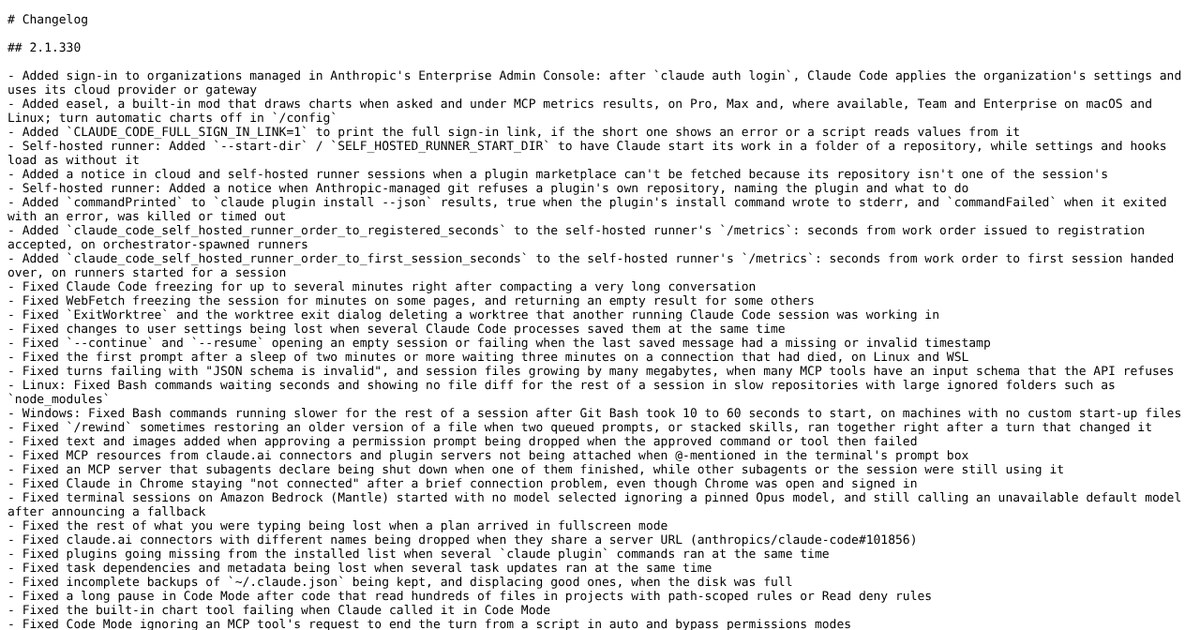
- Easel, a built-in mod, draws charts when you ask and can add them below supported MCP metrics results.
- Organizations managed in the Enterprise Admin Console get their settings applied after the claude auth login command.
- Recurring scheduled tasks and the /loop command can run for up to 30 days instead of 7.
- More rm delete commands now need your approval before they run.
- Fixes cover deleted worktrees, lost user settings, empty resumed sessions and frozen web fetches.
Taken from the official update: raw.githubusercontent.com [1]
Easel draws charts inside Claude Code
Listed as cc-plugin-easel on the plugin screen, easel is a built-in mod. Ask for a chart and it can draw one, or it can automatically add charts below supported MCP metrics results. When you bring traffic, sales or error numbers into a session, a visual appears beside the raw figures without leaving the terminal.
Fact checked on 21 Nov 2026 against raw.githubusercontent.com [1]
Type the /plugin command to find easel. From there, you can disable the mod or leave it on and turn off only the automatic charts using the Auto charts setting in the /config screen. This lets you request charts yourself without having one added to every metrics answer.
Fact checked on 21 Nov 2026 against code.claude.com [3]
Access is limited. The changelog lists Pro and Max, as well as Team and Enterprise where available, on macOS and Linux, but not native Windows. The mods documentation says easel requires a claude.ai subscription, so it is unavailable in a session without one. It also requires Claude Code v2.1.321 or later, or v2.1.326 or later on Team and Enterprise, and is unavailable on WSL. If you use Claude Code through WSL, see our guide to Claude Code on Windows and plan to chart elsewhere for now.
Fact checked on 21 Nov 2026 against raw.githubusercontent.com [1], code.claude.com [3]
According to the changelog, easel was added in 2.1.330, though the mods documentation gives earlier minimum versions. Those minimums indicate the documentation allows easel in versions before 2.1.330, but do not confirm when it was actually rolled out. Treat 2.1.330 as the release that announced it.
Fact checked on 21 Nov 2026 against code.claude.com [3], github.com [4]
Organization sign-in and a full sign-in link option
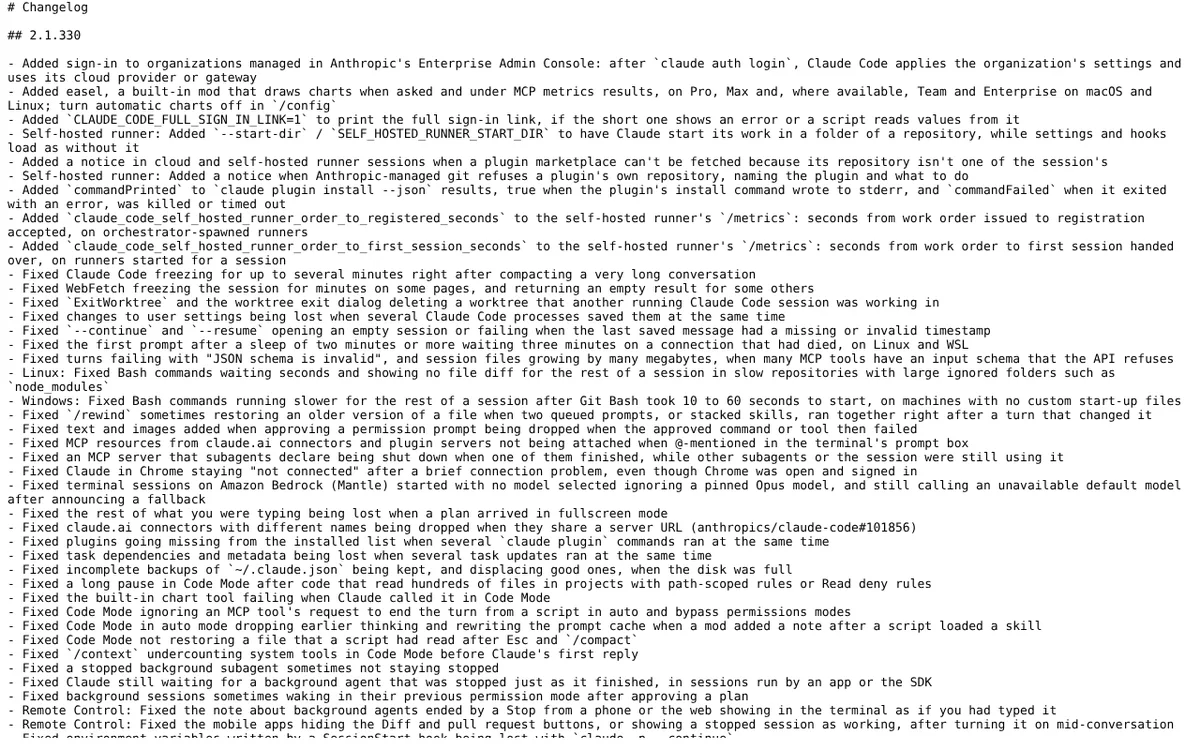
The claude auth login command now signs in organizations managed in the Enterprise Admin Console. Claude Code then applies the organization's settings and uses its configured cloud provider or gateway. New team members sign in once to get the organization's settings and cloud provider or gateway. People in organizations not managed in the Enterprise Admin Console continue to sign in as before.
Fact checked on 21 Nov 2026 against raw.githubusercontent.com [1]
Another new setting can help resolve sign-in trouble. Set CLAUDE_CODE_FULL_SIGN_IN_LINK to 1, and Claude Code will print the full sign-in link. This is useful when the short link shows an error or a script needs to read values from the link.
Fact checked on 21 Nov 2026 against raw.githubusercontent.com [1]
Longer scheduled tasks and stricter delete approval
Recurring scheduled tasks and the /loop command can now run for up to 30 days rather than 7, provided their session keeps running. Tasks made before this release still end after 7 days, so recreate an older task to use the longer limit.
Fact checked on 21 Nov 2026 against raw.githubusercontent.com [1]
For safety, more rm commands targeting the root, your home folder, a top-level folder or the working folder now need approval. If no one is available to approve, the command is refused. For a site owner who allows Claude Code to run unattended, this quietly helps prevent a bad delete from wiping a project.
Fact checked on 21 Nov 2026 against raw.githubusercontent.com [1]
Fixes worth knowing about
When you work across several sessions, one fix prevents the worktree exit dialog and the ExitWorktree tool from deleting a worktree used by another running session. Another fix prevents user settings changes from being lost when multiple Claude Code processes save them at the same time.
Fact checked on 21 Nov 2026 against github.com [5]
When returning to old work, the continue and resume options no longer open an empty session or fail if the last saved message has a missing or invalid timestamp. People who fetch web pages in a session also benefit from a fix for the WebFetch tool, which could freeze the session for minutes on some pages and return an empty result for others.
Fact checked on 21 Nov 2026 against github.com [5]
Smaller changes for teams and plugin authors
Teams using self-hosted runners, plugin authors, and VS Code users also get more additions: a start folder option and two runner timing measurements, additional status fields for plugin installs, a notice when a plugin marketplace cannot be fetched, and the /fork and /workflows commands in VS Code.
Fact checked on 21 Nov 2026 against raw.githubusercontent.com [1]
What the official notes do not say
- The notes do not state a separate price or usage quota for easel charts.
- The changelog says easel was added in 2.1.330, while the mods documentation gives v2.1.321 as the minimum version, and neither page explains the difference.
- The notes do not list which MCP tools count as supported metrics results.
- The changelog does not say which Team and Enterprise organizations get easel, and it gives no rollout schedule for the Enterprise Admin Console sign-in.
- The changelog does not specify path constraints or other limits for the start folder option on self-hosted runners.
How it helps: a freelancer who maintains several client websites and reports on them each month
The task. Create a chart for a client update using traffic and conversion numbers from a connected metrics tool
- Update Claude Code to 2.1.330 on macOS or Linux, sign in with a claude.ai subscription and confirm your plan is Pro, Max, or a Team or Enterprise plan where easel is available.
- Type the /plugin command and check that the easel mod is enabled.
- Ask Claude Code for the metrics through your connected MCP tool. A chart appears automatically below the results only if they are among the supported MCP metrics results, and the notes do not say which tools those are.
- If you would rather ask for charts by hand, open the /config screen and turn off Auto charts.
- If no chart appeared on its own, ask Claude Code to draw a chart of the figure you want to show the client.
The result. A chart appears in the same session as the numbers, so a quick client update does not require a separate charting tool.
Fact checked on 21 Nov 2026 against raw.githubusercontent.com [1], code.claude.com [3]
Other ways to use it
A new developer installs Claude Code, then runs the claude auth login command. The organization’s settings take effect, and the session uses the company’s configured cloud provider or gateway.
Fact checked on 21 Nov 2026 against raw.githubusercontent.com [1]
A recurring task created after this release can run for up to 30 days as long as the session remains open. Tasks created before the release still stop after 7 days.
Fact checked on 21 Nov 2026 against raw.githubusercontent.com [1]
Related nvudev guides
Sources
- https://raw.githubusercontent.com/anthropics/claude-code/main/CHANGELOG.md (official update)
- https://code.claude.com/docs/en/changelog
- https://code.claude.com/docs/en/plugins/mods/overview
- https://github.com/anthropics/claude-code/releases/tag/v2.1.330
- https://github.com/anthropics/claude-code/blob/main/CHANGELOG.md
Facts in this article were checked against these sources on 21 Nov 2026. Product details change, so check the official page before you rely on them.