
This default applies to the providers and models named in the entry. If you access Claude another way, the release does not say that your starting mode will change. On one of the four routes, however, the first session after the update may act differently because Claude may no longer ask before routine actions.
The release also includes fixes for scheduled tasks and long sessions on third-party providers, along with hook and self-hosted runner options that mainly affect teams. This post separates what a solo site builder needs to know from what an admin needs.
What is new
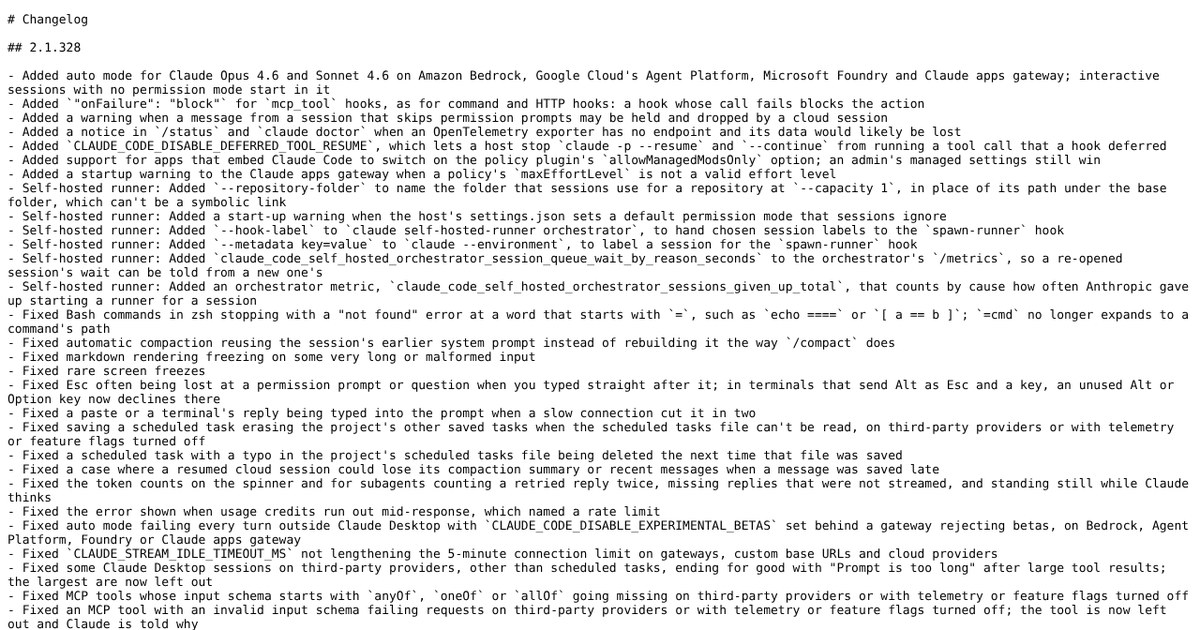
- Auto mode for Claude Opus 4.6 and Sonnet 4.6 on Amazon Bedrock, Google Cloud's Agent Platform, Microsoft Foundry and the Claude apps gateway.
- On those providers and models, interactive sessions with no permission mode set start in auto mode.
- Plan mode and Bash prompts for those models on third-party providers now use and offer auto mode, and the disableAutoMode setting turns both off.
- Fixes for scheduled tasks being erased or deleted, for auto mode failing behind some gateways, and for Claude Desktop sessions ending with a Prompt is too long error.
- A hook set to block on failure now works for MCP tool hooks, and cloud sessions get a new warning about held messages.
Taken from the official update: raw.githubusercontent.com [1]
Auto mode starts by default on four providers
The changelog presents these changes as one package: auto mode is added for Opus 4.6 and Sonnet 4.6 on Amazon Bedrock, Google Cloud's Agent Platform, Microsoft Foundry and the Claude apps gateway, and interactive sessions without a permission mode start in auto mode. Read in context, the default applies only to the stated scope.
Fact checked on 20 Nov 2026 against raw.githubusercontent.com [1]
Another line in the same entry says plan mode and Bash prompts for Opus 4.6 and Sonnet 4.6 on third-party providers now use and offer auto mode, like newer models do, and that disableAutoMode turns both off. In other words, these models are being aligned with newer ones on those routes.
Fact checked on 20 Nov 2026 against raw.githubusercontent.com [1]
What auto mode does and how to change it
Auto mode allows Claude to take actions without routine permission prompts. A separate classifier model reviews each action and blocks ones it considers unsafe, such as actions beyond your request or aimed at infrastructure it does not recognize. Your rules still apply: ask rules prompt, and deny rules block.
Fact checked on 20 Nov 2026 against code.claude.com [2]
Manual mode is the ask-first option, and its setting value is default. It asks before most actions that edit files, run shell commands or access the network, so you approve them instead of leaving most decisions to the classifier.
Fact checked on 20 Nov 2026 against code.claude.com [2]
There are two ways to keep the ask-first behavior. For a single session, press Shift+Tab in the command line, select the mode indicator in VS Code or use the mode selector in Desktop. To start in Manual mode by default, set permissions.defaultMode to default in your settings file. Use that nested setting, not a top level defaultMode. Administrators can also set permissions.disableAutoMode to disable in managed settings. This removes Auto from the mode cycle and starts sessions set to auto in Manual mode instead.
Fact checked on 20 Nov 2026 against code.claude.com [2]
Fixes worth knowing
Two fixes address scheduled tasks. Saving a scheduled task could erase other saved tasks for the project if the scheduled tasks file could not be read, including on third-party providers or with telemetry or feature flags turned off. Separately, a typo in the project's scheduled tasks file caused a scheduled task to be deleted the next time the file was saved. Both issues are fixed for recurring site checks or content jobs.
Fact checked on 20 Nov 2026 against raw.githubusercontent.com [1]
Two other fixes affect cloud routes. Auto mode failed on every turn outside Claude Desktop when the variable CLAUDE_CODE_DISABLE_EXPERIMENTAL_BETAS was set behind a gateway that rejects betas, on Bedrock, Agent Platform, Foundry or the Claude apps gateway. Also, some Claude Desktop sessions on third-party providers, except scheduled tasks, ended permanently with a Prompt is too long error after large tool results. The largest results are now omitted.
Fact checked on 20 Nov 2026 against raw.githubusercontent.com [1]
For teams and admins
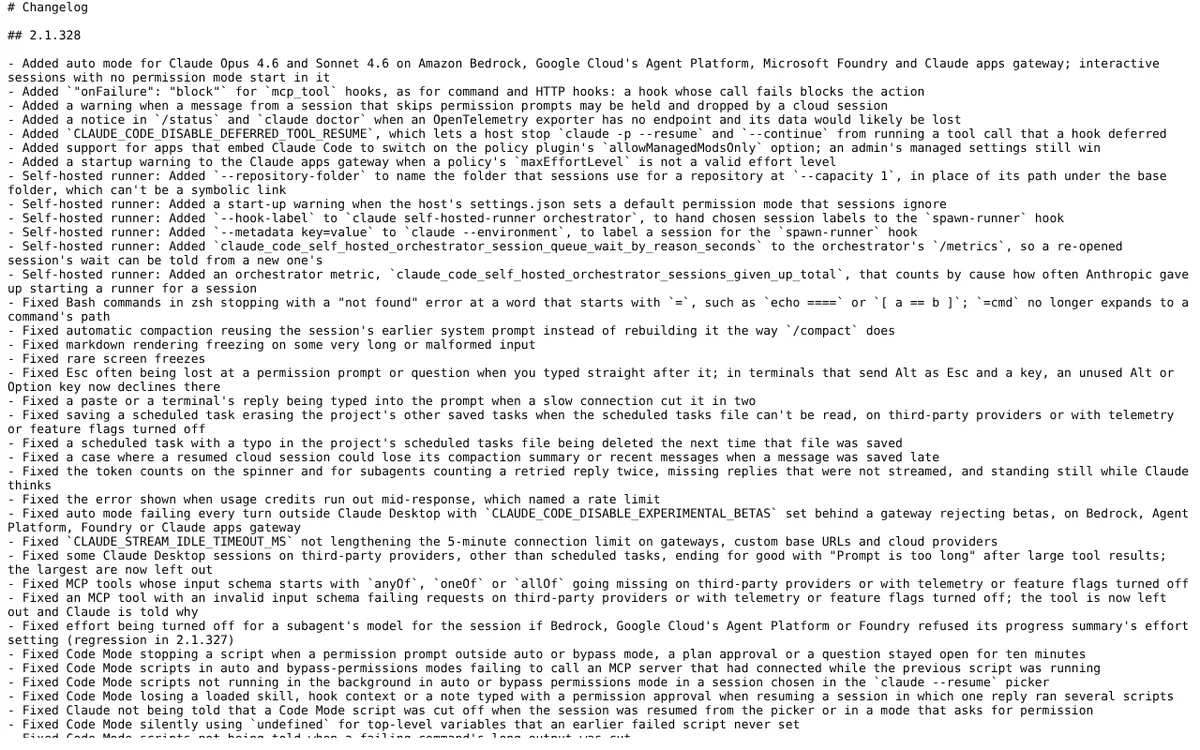
Hooks are small checks that a team runs around Claude's actions. Hooks that call an MCP tool can now be configured to block the action if the call fails, as command and HTTP hooks already could. Cloud sessions also show a warning that a message from a session that skips permission prompts may be held and dropped. A host can set CLAUDE_CODE_DISABLE_DEFERRED_TOOL_RESUME to prevent resumed command line runs from running a tool call deferred by a hook. If you never write hooks, you can skip these changes.
Fact checked on 20 Nov 2026 against raw.githubusercontent.com [1]
Self-hosted runners, the machines a company uses to run Claude sessions, can now name a repository folder, pass session labels to the spawn-runner hook and add metadata labels to a session. Apps that embed Claude Code can enable the policy plugin's allowManagedModsOnly option, while an admin's managed settings still take priority. The status screen and claude doctor now warn when telemetry data has no endpoint and is likely to be lost. These changes matter only if you run Claude for other people.
Fact checked on 20 Nov 2026 against raw.githubusercontent.com [1]
What the official notes do not say
- The changelog entry does not give a release date.
- It does not specify plans, a rollout schedule, price or usage limits for the additions.
- It does not name a minimum Claude Code version or any availability conditions beyond being listed under 2.1.328.
- It does not say whether the starting mode changes for sessions outside the four providers and two models it names.
How it helps: a freelancer who builds and maintains small business sites with Claude Code through Amazon Bedrock
The task. Choose, for each client, whether Claude can work without asking before every action.
- Update Claude Code to 2.1.328 and open an interactive session in a client's project.
- Notice that the session starts in auto mode, because no permission mode was set.
- For a client whose site holds sensitive data, press Shift+Tab to move to Manual mode, or set permissions.defaultMode to default in that project's settings.
- For a low risk project, stay in auto mode and rely on your own ask and deny rules for anything you never want Claude to do.
- If you schedule recurring jobs, check that the project's scheduled tasks are all still there after the update.
The result. You know the starting mode for each client project, can change it in one step, and remain in control of what Claude can do without approving each routine action.
Fact checked on 20 Nov 2026 against raw.githubusercontent.com [1], code.claude.com [2]
Other ways to use it
Auto mode is now available for Opus 4.6 and Sonnet 4.6 from your provider. Before rolling out the update to the team, decide which permission mode people should start in, because interactive sessions with no mode set now start in auto mode. Admins can remove Auto from the cycle using the disableAutoMode setting.
Fact checked on 20 Nov 2026 against raw.githubusercontent.com [1], code.claude.com [2]
When a hook calls an MCP tool and the call fails, setting the hook to block stops the action. Use this when a check must pass before Claude changes a file.
Fact checked on 20 Nov 2026 against raw.githubusercontent.com [1]
Related nvudev guides
Sources
- https://raw.githubusercontent.com/anthropics/claude-code/main/CHANGELOG.md (official update)
- https://code.claude.com/docs/en/permission-modes
Facts in this article were checked against these sources on 20 Nov 2026. Product details change, so check the official page before you rely on them.