
Pages and slides can also update automatically using your connected apps and tools. The release entry does not say which apps or data can drive those updates, so check what your account can connect before relying on the feature for a client.
For site builders, the key questions are in the details of the announcement: what Plus adds that other plans already had, what happens to files saved in Library, and what the closed sharing model means when a client needs to read your work.
What is new
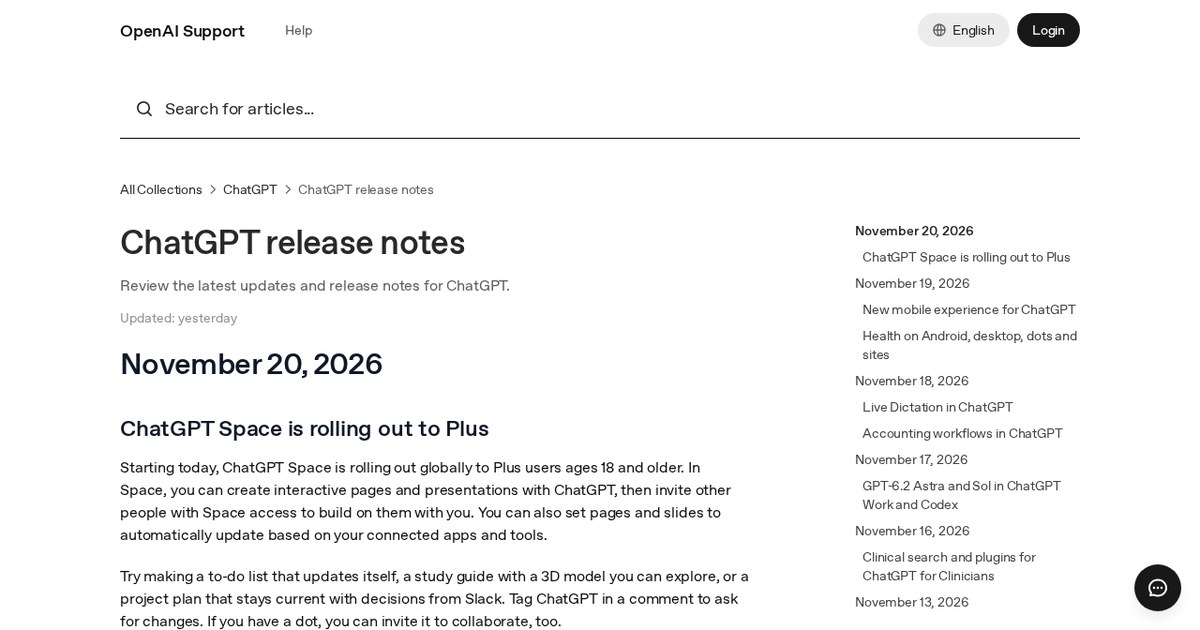
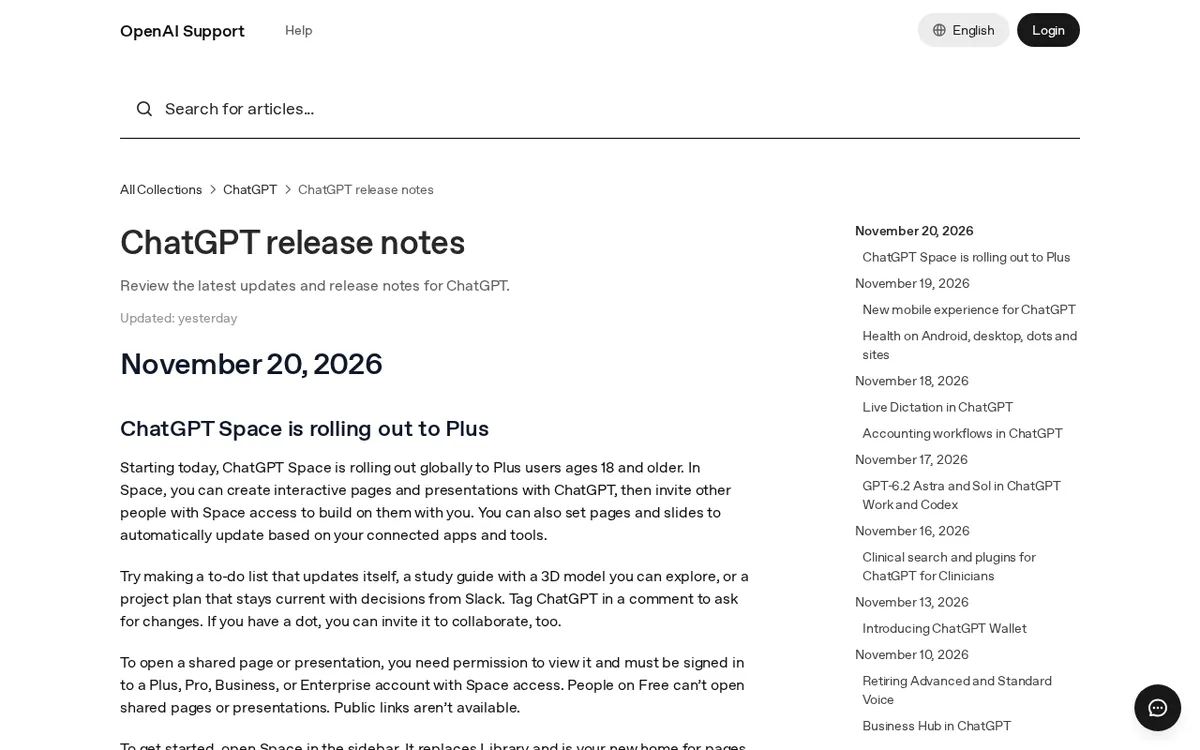
- ChatGPT Space is rolling out globally to Plus users aged 18 and older, starting November 20, 2026.
- You can create interactive pages and presentations with ChatGPT and invite other people with Space access to build on them.
- Pages and slides can be set to update automatically based on your connected apps and tools.
- You can tag ChatGPT in a comment to ask for changes.
- Space replaces Library for accounts that have Space access, and Projects stay separate.
Taken from the official update: help.openai.com [1]
Plus is the latest plan to get Space
Space is not new to ChatGPT overall. OpenAI first listed it on September 29, 2026, for eligible Pro, Business, and Enterprise users, with Enterprise sharing starting as an opt-in preview. About seven weeks later, this rollout brings Space to Plus, suggesting Plus is gaining a feature that higher plans have already been using.
Fact checked on 22 Nov 2026 against help.openai.com [4], help.openai.com [1]
The getting started page describes Plus access carefully. You can create and edit content with Pro, Business, or Enterprise, and with Plus once Space is available on your account. This means Space may not appear for every Plus user on day one. If you do not see it in the desktop app, first update to the latest version. If it is still missing, it may not be available to your account yet. The release entry does not give a date for completing the rollout.
Fact checked on 22 Nov 2026 against help.openai.com [2]
There is also a practical Plus limit to keep in mind. If you reach your message limit, you can still edit a page manually, so you can make a last minute presentation fix even without messages remaining.
Fact checked on 22 Nov 2026 against help.openai.com [2]
What happens to your Library files
If you have used Library to save images and uploaded files, start by checking there. For accounts with Space access, Space replaces Library as the home for pages, images, and uploaded files, while Projects stay separate. Open Space from the sidebar.
Fact checked on 22 Nov 2026 against help.openai.com [1], help.openai.com [2], help.openai.com [3]
In Space, find your personal files under All, then Your items. The Images view separates Your creations from Uploads. The Help Center does not explain a separate migration process for items already saved in Library, so check those two locations instead of expecting to move files yourself.
Fact checked on 22 Nov 2026 against help.openai.com [2], help.openai.com [3]
Pages can be created and edited on the web, in the desktop app, and on iOS and Android, letting you adjust on your phone a page you started at your desk.
Fact checked on 22 Nov 2026 against help.openai.com [1]
What closed sharing means for client work
Sharing determines how you can use Space with clients. To open a shared page or presentation, someone needs viewing permission and must be signed in to a Plus, Pro, Business, or Enterprise account with Space access. Free users cannot open shared pages or presentations, and public links are not available. Clients without one of those plans cannot read what you share, and you cannot send a link as you would for a regular web address.
Fact checked on 22 Nov 2026 against help.openai.com [1]
So Space works as a workspace for materials related to a site, such as a content plan, a launch checklist or a client presentation, rather than as a place to publish a site. The release entry does not say that pages can be published to the open web. If a client needs to read something without a ChatGPT login, keep it somewhere the client can access freely, such as a page on their own site or a document you already share. The release notes do not mention an export option, so do not assume one is available.
Fact checked on 22 Nov 2026 against help.openai.com [1]
To request changes, collaborators tag ChatGPT in a comment. Along with pages that can update from connected apps and tools, this gives a team a shared page that keeps pace with the project. If you already draft copy with ChatGPT, the guide on using ChatGPT for website content without sounding generic still applies to the text on a page.
Fact checked on 22 Nov 2026 against help.openai.com [1]
What the official notes do not say
- The official pages do not state a Space-specific price, storage quota, page or file-size limit, or maximum number of collaborators.
- The release entry does not give a date by which the Plus rollout will be complete for every eligible account.
- The Help Center pages do not describe a separate migration step for items already saved in Library.
- The release entry does not list which connected apps or which data can drive automatic updates to pages and slides.
How it helps: a freelancer who builds sites for local shops and keeps a Plus account
The task. Share a project status page with a client who has Space access on a Plus, Pro, Business or Enterprise account
- Open Space from the sidebar in ChatGPT, on the web or in the desktop app
- Create an interactive page for the client's site project with ChatGPT
- Set the page to update automatically from the apps and tools you have connected, after checking which ones your account offers
- Invite the client, who needs viewing permission and a signed in account with Space access
- When the client wants a change, they tag ChatGPT in a comment to ask for it
The result. The client can follow the project on one page and request changes in comments. Clients on Free cannot open the page, so share the same content another way.
Fact checked on 22 Nov 2026 against help.openai.com [1]
Other ways to use it
Space is missing from the sidebar after the announcement. The getting started page says to update the app first. If Space still does not appear, the account may not have it yet.
Fact checked on 22 Nov 2026 against help.openai.com [2]
Related nvudev guides
Sources
- https://help.openai.com/en/articles/6825453-chatgpt-release-notes (official update)
- https://help.openai.com/en/articles/20001549-getting-started-with-space-in-chatgpt
- https://help.openai.com/en/articles/20001052-using-library-to-manage-files-in-chatgpt
- https://help.openai.com/en/articles/6825453
Facts in this article were checked against these sources on 22 Nov 2026. Product details change, so check the official page before you rely on them.