

The feature is rolling out globally across all ChatGPT plans on iOS, Android, the web and the desktop app. If you speak drafts of page copy, product descriptions or site outlines, this changes how long you can record at once.
The release note explains the speed and recording limit. For details about what happens to recorded audio, it points to other help pages, which matters when dictating client details.
What is new
- Speech turns into text as you talk.
- Tapping or clicking the waveform shows or hides the text as dictation proceeds.
- The 10-minute recording limit is removed.
- It is rolling out to all plans on iOS, Android, web and the desktop app.
Taken from the official update: help.openai.com [1]
What changes when you dictate
The biggest change is when the text appears. Live Dictation converts speech to text as you talk, so while outlining a landing page, a misheard product name or missing word can appear before you move on. Tap or click the waveform to show or hide the text as dictation continues. Keep it visible to catch mistakes, or hide it and keep talking.
Fact checked on 21 Nov 2026 against help.openai.com [2]
The other change is how long you can record. Since the update removes the 10-minute recording limit, you no longer need to split a spoken brief for a whole page into shorter pieces to stay under the cap. The release note does not say whether other recording or usage limits apply, so do not assume recordings can run without limits.
Fact checked on 21 Nov 2026 against help.openai.com [2]
Dictation is not voice mode
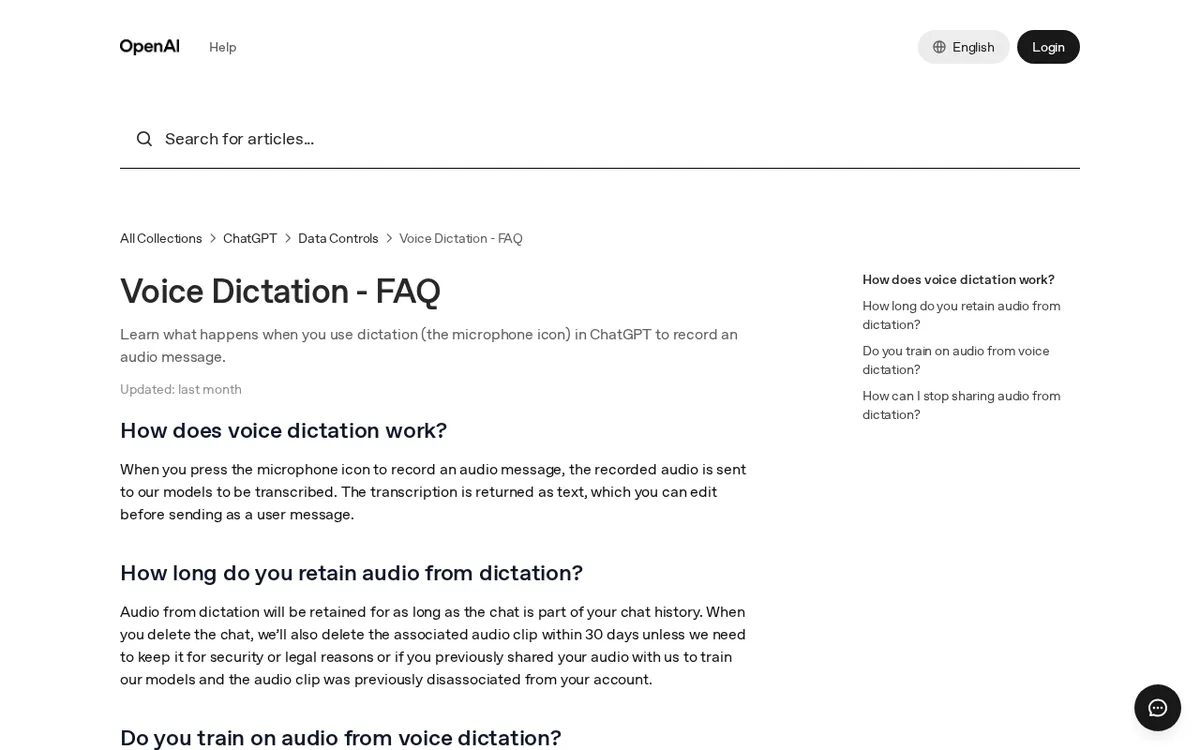
Dictation uses the microphone icon. Record an audio message, and ChatGPT transcribes it into text that you can edit before sending as a message. Live Dictation changes how and when the text appears, but the release note does not change the editing step, so you still review the text before sending it.
Fact checked on 21 Nov 2026 against help.openai.com [1], help.openai.com [3]
Voice is a separate feature. OpenAI's help pages say voice supports a live, back and forth conversation with spoken responses, while dictation lets you record a prompt, review and edit the transcription, then send it as text. The release note does not mention Voice mode, so interpret the update as a change to dictation, the microphone icon.
Fact checked on 21 Nov 2026 against help.openai.com [4], help.openai.com [2]
What happens to your recordings
Dictation sends recorded audio to OpenAI's models for transcription. OpenAI's Voice Dictation FAQ says the audio stays stored as long as the chat remains in your chat history. After you delete the chat, the associated audio clip is deleted within 30 days, unless it needs to be kept for security or legal reasons, or was previously shared for model training and disassociated from your account.
Fact checked on 21 Nov 2026 against help.openai.com [1]
The FAQ distinguishes between two types of users when discussing training. For consumer users, OpenAI may train on dictation audio if they have chosen to share audio to improve models. By default, OpenAI does not train on business users' inputs or outputs.
Fact checked on 21 Nov 2026 against help.openai.com [1]
This is especially relevant if you build sites for clients and dictate unpublished copy, prices or business details. To stop sharing, go to Data Controls in your ChatGPT settings and turn off Include your audio recordings, or disable Improve the model for everyone. Either setting applies to audio from dictation and voice chat. The FAQ covers dictation in general and does not mention Live Dictation, so check the page again if these rules affect your work.
Fact checked on 21 Nov 2026 against help.openai.com [1]
Who gets it and where
Dated November 18, 2026, the ChatGPT release notes entry says Live Dictation is rolling out globally to all ChatGPT plans on iOS, Android, web and the desktop app. That means you do not need a particular paid plan to be eligible. Rollouts reach accounts over time, so if it has not appeared on one device, try another surface or check again later.
Fact checked on 21 Nov 2026 against help.openai.com [2]
What the official notes do not say
- The release note does not give a date by which the global rollout will be complete.
- The official pages reviewed do not state a price for Live Dictation.
- The release note does not say that Live Dictation replaces or retires another dictation feature.
- The release note removes the 10-minute recording limit but does not specify whether other recording or usage limits apply.
How it helps: a freelancer who builds sites for local shops and writes the page copy herself
The task. Speak the About page and three service descriptions for a bakery website, including the owner’s unpublished prices and opening plans.
- Before dictating, open Data Controls in your ChatGPT settings and check whether Include your audio recordings and Improve the model for everyone are on, since sharing applies to dictation audio. Turn them off if the client details should not be shared.
- Open ChatGPT on your phone, the web or the desktop app and press the microphone icon.
- Speak the bakery's story and what each service includes in one take, and tap or click the waveform if you want to hide or show the text as it appears.
- Stop recording and read the transcription.
- Edit the text, fix the bakery's name and the prices, then send it as your message.
The result. A first draft of the copy appears in the chat from one continuous take, with names and prices corrected during editing before the text is sent to ChatGPT. If you delete the chat later, the audio clip is deleted within 30 days, unless an FAQ exception applies.
Fact checked on 21 Nov 2026 against help.openai.com [2], help.openai.com [1]
Other ways to use it
On iOS or Android, you can dictate notes for a new product description and see the text appear as you speak.
Fact checked on 21 Nov 2026 against help.openai.com [2]
Related nvudev guides
Sources
- https://help.openai.com/articles/12168547 (official update)
- https://help.openai.com/en/articles/6825453
- https://help.openai.com/en/articles/12168547-voice-dictation-faq
- https://help.openai.com/en/articles/8400625-voice-mode-faq
Facts in this article were checked against these sources on 21 Nov 2026. Product details change, so check the official page before you rely on them.