

For client sites or landing pages, the advantage is that video appears in Canva as a regular project, where you can trim, caption and export it using the editor you already use for graphics. Availability is more limited than the headline suggests: video requires a paid Canva plan, is available only in select markets, and Canva’s own post says Claude use requires a paid Claude subscription. Check all three before promising the feature to a client.
What is new
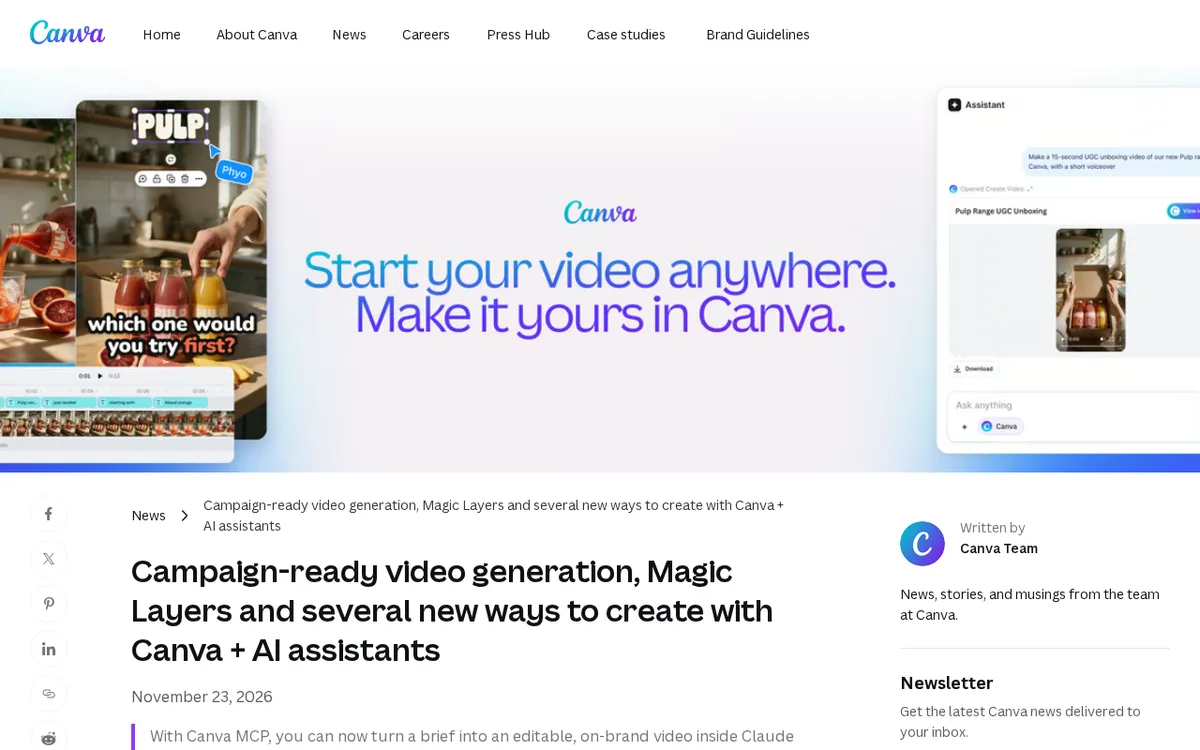
- Video generation from a brief in ChatGPT and Claude, using models such as Seedance 2.5 and templates picked from your prompt.
- A timed production plan you approve before anything is generated.
- Magic Layers, which turns a flat or generated image into an editable Canva design.
- Upgraded design generation, image generation from a prompt and background removal, listed for the connectors in general.
- A Canva editor side panel inside ChatGPT and Claude, plus Autofill for templates on Canva Pro, Business, Education and Enterprise.
Taken from the official update: canva.com [1]
What to check before you start a video
Video generation faces the tightest limits in this update, and Canva says access to each new tool depends on the assistant you use. Video is available only in ChatGPT and Claude, and only in select markets. Canva has not listed those markets, so the fastest way to check is to connect Canva and request a video.
Fact checked on 26 Nov 2026 against canva.com [2], canva.com [1]
To connect, go to the assistant’s settings or connected apps area, select Canva, then ask for a video and provide a brief or brand assets in the chat. For Claude, Canva’s post explains how to set things up for a paid Claude subscriber. The Canva pages cited here do not say a paid ChatGPT plan is required. They say only that video generation requires a paid Canva plan.
Fact checked on 26 Nov 2026 against canva.com [2], canva.com [1]
Before generation begins, you’ll see a timed production plan breakdown and can approve it. When you attach a product image, reference binding is intended to keep the product’s shape, color and label consistent. Canva combines advanced models, including Seedance 2.5, with templates selected from your prompt, such as product demos, unboxings and virtual try-ons.
Fact checked on 26 Nov 2026 against canva.com [1]
The chat is just the first step. Canva saves the finished video, and in the video editor you can trim or split clips, add captions, text, music, animations or a voiceover, remove backgrounds, and export or publish.
Fact checked on 26 Nov 2026 against canva.com [2]
Plans, allowance and where it is available
You can connect Canva to an AI assistant for free on any Canva plan, including Canva Free. Video generation requires a paid plan and uses that plan’s monthly AI allowance. Education and Nonprofits plans are not eligible for video generation.
Fact checked on 26 Nov 2026 against canva.com [2], canva.com [4]
Longer videos and more demanding models may use more of the allowance. If your remaining allowance is too low, the chat offers a top-up or an AI Pass before generation begins, and failed generations do not cost credits.
Fact checked on 26 Nov 2026 against canva.com [2]
The other new tools are said to be available globally, subject to each assistant partner. Canva also lists exceptions for the free connection: searching Brand Templates requires a paid plan, and Autofill is unavailable on Canva Free.
Fact checked on 26 Nov 2026 against canva.com [1], canva.com [4]
Magic Layers, the side panel and Autofill
Canva’s post says people already use the connectors in ChatGPT, Claude, Muse, Gemini and Copilot to generate designs, make images and edit them, most often for presentations and social posts. This update improves three of those tools: generating designs from a written brief or research, generating images from a prompt with reference images, and removing backgrounds. No assistant by assistant availability list has been published for any of the three, so check your own assistant before relying on a tool. When a subject’s background is removed, it sits on a transparent canvas, ready to add to another design.
Fact checked on 26 Nov 2026 against canva.com [1]
Magic Layers converts a generated or flat image into an editable Canva design, with text, objects and other elements available to move or change. This is useful when an AI image includes a headline in the picture that needs different wording. Canva describes it as a premium AI tool that uses the monthly AI allowance, with usage limits that vary by plan. Assistant access is just starting to roll out, and Canva’s connector page identifies Gemini and ChatGPT as select tools with editable AI image layers.
Fact checked on 26 Nov 2026 against canva.com [1], canva.com [3]
ChatGPT and Claude also include editing in a side panel, where you can revise text, browse templates, replace images and adjust layouts before opening Canva with one click to access the full toolset. For bulk template filling, Autofill now automatically adds content for Canva Pro, Business, Education and Enterprise accounts.
Fact checked on 26 Nov 2026 against canva.com [1]
What the official notes do not say
- The update and the video page do not give a complete list of markets where video is available.
- Neither page gives an exact AI allowance cost per video or a fixed number of videos per plan.
- The cited pages do not say whether the Canva side panel editor inside ChatGPT and Claude needs a paid Canva plan.
- The cited pages do not say that a paid ChatGPT plan is required for video, only a paid Canva plan.
- The update does not give an assistant by assistant list of which new or upgraded tools work where.
How it helps: a freelancer who builds sites for small product brands
The task. Create a brief unboxing video for a client’s launch page without scheduling a shoot
- Check that you are in a market where video is offered, have a paid Canva plan, and use ChatGPT or Claude (Canva's post describes a paid Claude subscription for Claude).
- Connect Canva in the settings or connected apps area of the assistant and choose Canva.
- Attach the product photo and brand assets, then ask for a short unboxing video.
- Review the timed production plan and approve it.
- Open the saved video in Canva's video editor and trim clips, add captions and music.
- Export the video or publish it, then add it to the client's page.
The result. An editable video is saved in Canva in the account linked to the assistant. You can edit and export it there. It uses that plan's monthly AI allowance, and longer videos or stronger models use more.
Fact checked on 26 Nov 2026 against canva.com [2], canva.com [1]
Other ways to use it
Connecting Canva to your assistant is free, but video generation requires a paid Canva plan. The update does not say whether the side panel editor requires a paid plan, and Canva Free does not include Autofill.
Fact checked on 26 Nov 2026 against canva.com [2], canva.com [4]
Related nvudev guides
Sources
- https://www.canva.com/newsroom/news/canva-mcp-video-generation/ (official update)
- https://www.canva.com/canva-mcp/generate-video/
- https://www.canva.com/magic-layers/
- https://www.canva.com/help/mcp-agent-setup/
Facts in this article were checked against these sources on 26 Nov 2026. Product details change, so check the official page before you rely on them.